01 Overview
GenUI
Framework
Generated UI requires predictable anchors and consistent interaction patterns to translate vehicle context into a safe, glanceable driver companion. This is the framework that defines them.
Role
Product Designer / Prototyper.
Pioneered GenUI from 0 to 1 and started cross-functional governance.
Outcome
Translated blue-sky concepts into a tangible architectural AI generative UI framework.
Defined the interaction patterns, rules, and consistent mental models for generative UI components.
Impact
Created an intelligent North Star immediately adopted across visual and mobile teams, directly informing the near-term AI product vision.
Embedded as the GenUI expert across teams, driving advisory and co-creation of intelligent experiences launching in the next release cycle.
02 Background
From no framework to a framework
Phase 1 (GenUI Concepting) was an open exploration: a wide field of generative vignettes, journey-guide moments, and real data integration prototyping for key research insights. It proved what was possible, but it didn't scale. We needed a framework that defined what was consistent, safe, and trustworthy.
Phase 1 · No framework
Open exploration
- UI vignettes
- Interaction mental models prototyping
- Assess engineering feasibility
- On road user testing & key research findings
- Answers "what's possible?"
Phase 2 · With framework
A scalable system
- Build discipline and rules for AI behaviors
- Categorize the generative UI types across AI moments
- A framework and system logic any team can apply
- Answers "what's consistent & scalable?"
A few highlights from Phase 1
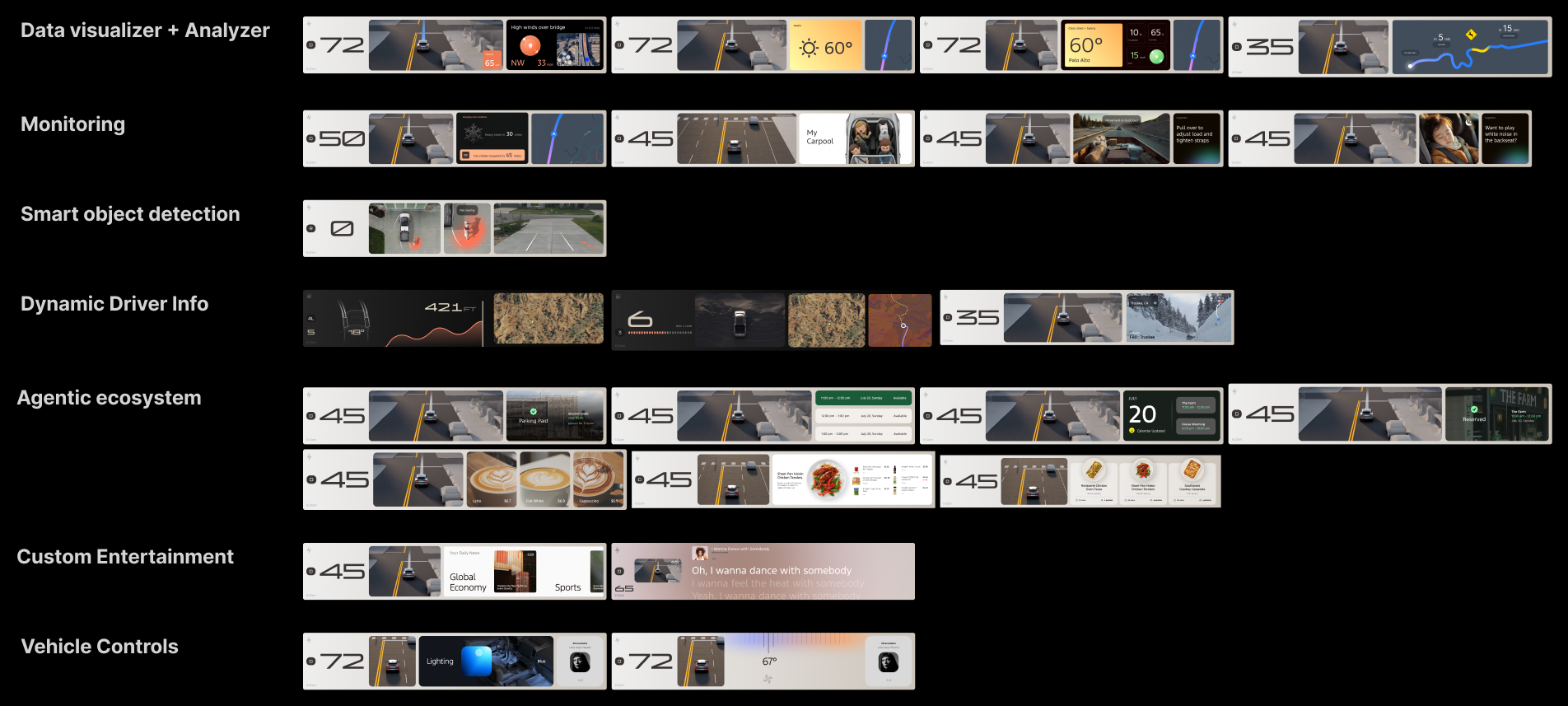
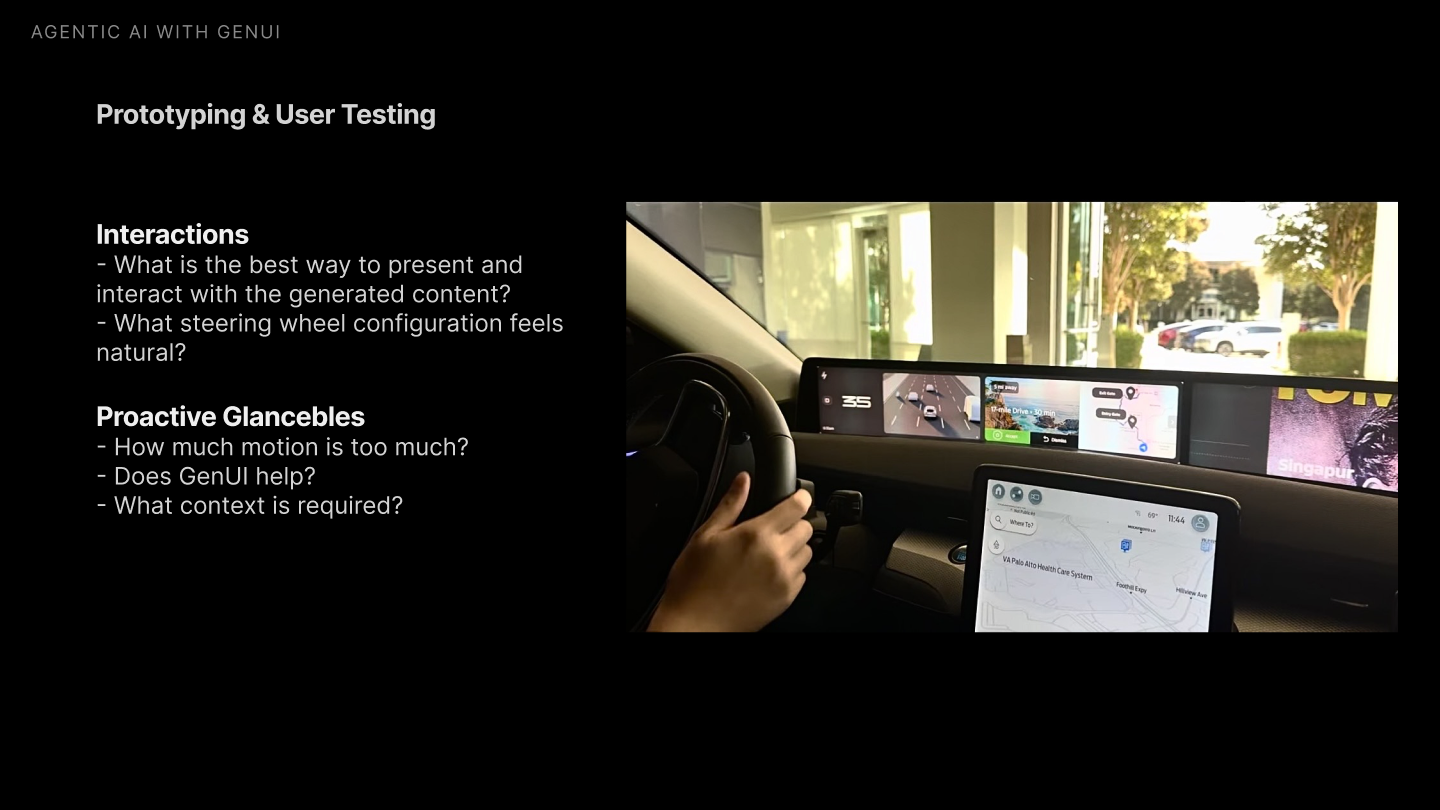
Key findings & takeaways from Phase I explorations
Key Findings
- 01
Binary Actions & Consistency
Users prefer simple Yes/No or Accept/Decline actions with a consistent mental model across generated content.
- 02
Self-Explanatory Visuals
Minimize the constant need for users to ask questions; the UI should explain itself at a glance.
- 03
Voice & Center Screen Reserved for Complexity
No complex interactions in the cluster screen.
- 04
Motion as a Hierarchy Cue
Users equate high motion and bigger visuals with high importance.
- 05
Context Awareness
Users expect the vehicle to know their intent, current mindset, emotional state, and environment.
Key Takeaways
Explore Mediated & Ambient State
Shift lower-risk suggestion interactions from high-profile widget pop-ups to persistent ambient notification toasts or mediated states.
Unify Interaction & Decision Model
Ensure all genUI moments share a consistent interaction pattern with a unified binary action mental model across every state.
Simplify Visuals & Reduce Text Density
Minimize text and shift toward graphical representations.
Anchor AI Home
Establish a stable, predictable AI surface that safeguards driver attention zones.
Phase 1, 2025
Want the full exploration?
See the open-ended concepting, prototyping, and user testing that led here.
03 Interaction Models for Mediated State + AI Home
Steering wheel interaction exploration
This is a direct response to GenUI Concepting's roadmap: rather than defaulting to high-profile widget pop-ups, I explored mediated states and ambient toasts as the home for lower-risk AI suggestions, driven entirely by the steering wheel's four-way capacitive controls.
Explorations of the mediated state pattern
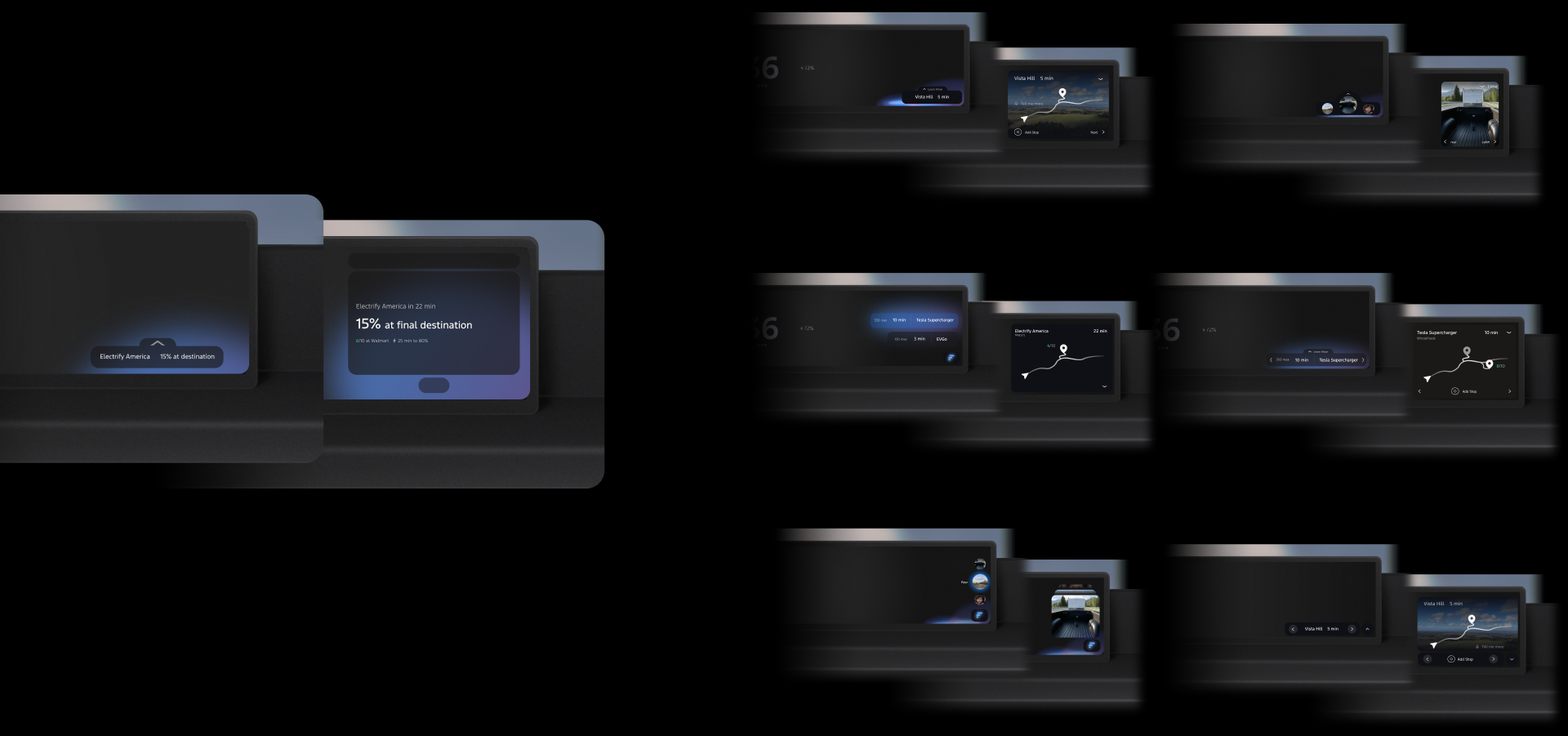
Interaction directions
A few directions for how the steering wheel's four-way controls could drive engagement with these states:
04 AI Behaviors
The dimensions of a generated moment
Reliable AI behavior is the foundation of user trust. This framework establishes structured discipline rules to prevent AI from reinventing new patterns on every response.
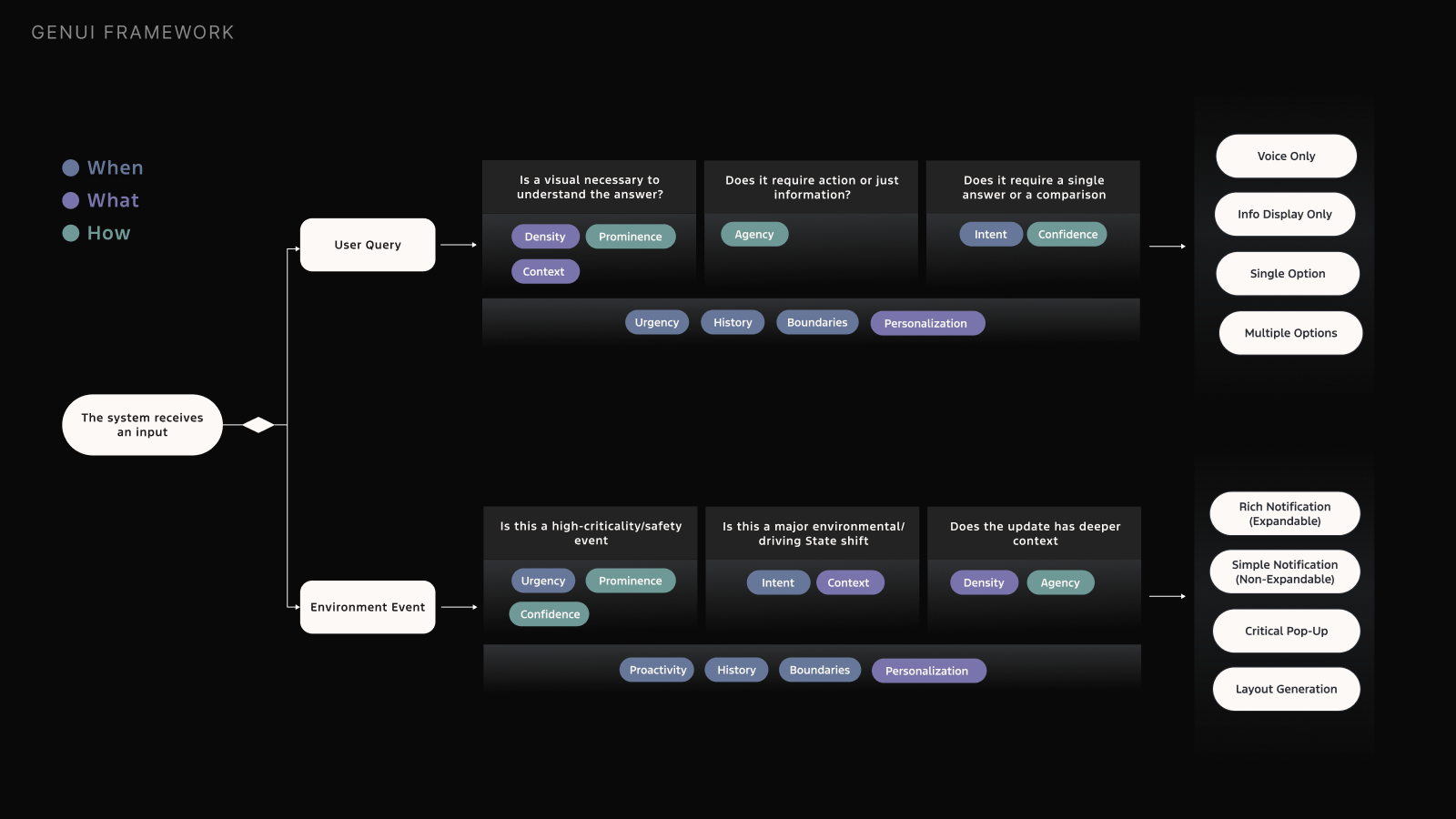
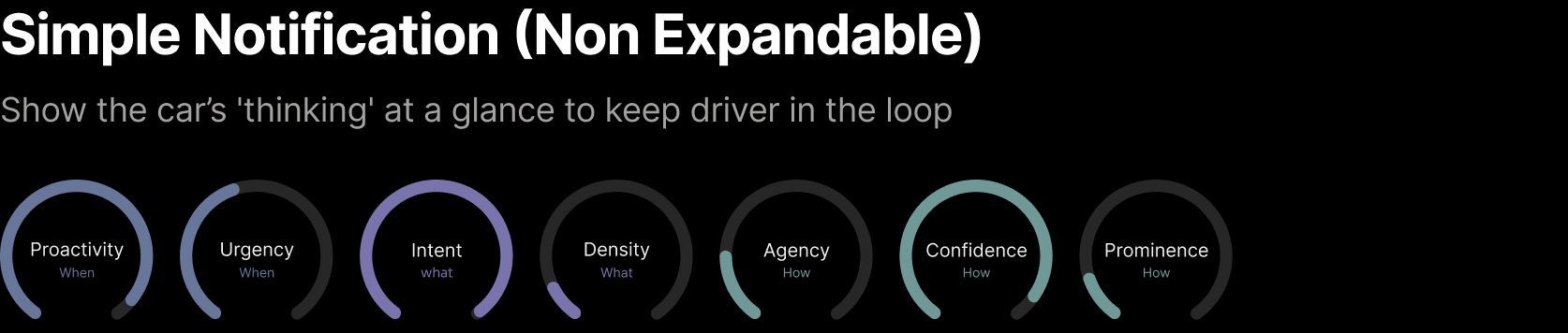
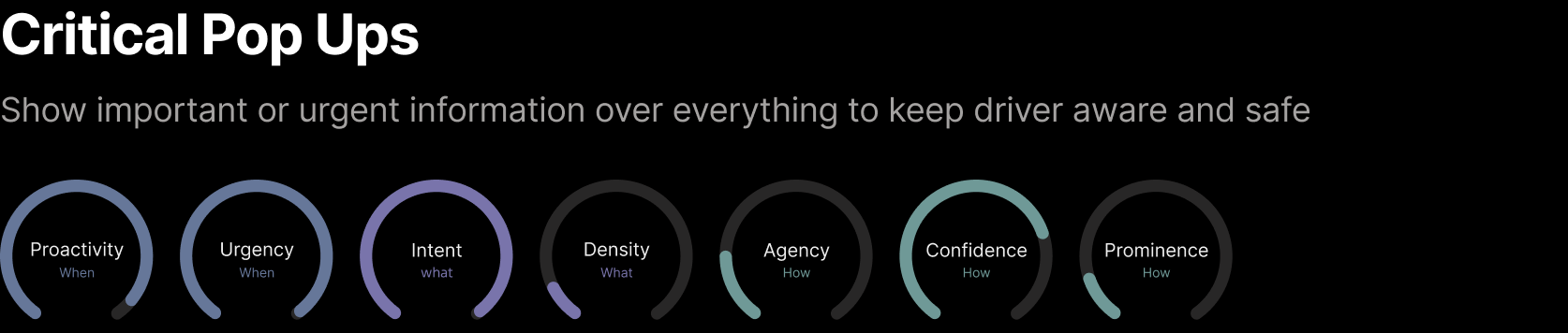
Every generated moment can be described by three questions: when, what, and how the AI should surface. Each question has a set of named dimensions that become the shared vocabulary for the whole system.
When
Timing · When should AI surface?
- Proactivity · when can the AI act on its own?
- Boundaries · when should it stay out of the way?
- History · what patterns has it learned to act on?
- Urgency · how urgent is it that the user sees this now?
What
Content · What should AI surface?
- Intent · what is the user trying to accomplish?
- Density · how much detail does the user actually need?
- Personalization · how should this adapt to preferences?
- Context · what is the environmental, vehicle, and user state?
How
Placement · How should AI surface?
- Confidence · how certain is the user goal?
- Agency · how much control does the user have?
- Prominence · how much attention does this deserve?
Worked Example
Any driving moment can be classified this way. Take a car arriving home: high confidence and high prominence justify a full-screen "Welcome Home" takeover, but urgency stays low, so the layout shift waits until the car is parked and out of reverse, not fired mid-parking.
05 Architecture
Two ways GenUI shows up
Supportive Layer
- Lives inside the Base UI and enhances core driving tasks
Takeover Layer
- Sits on top of the Base UI and takes over for complex or high-confidence moments
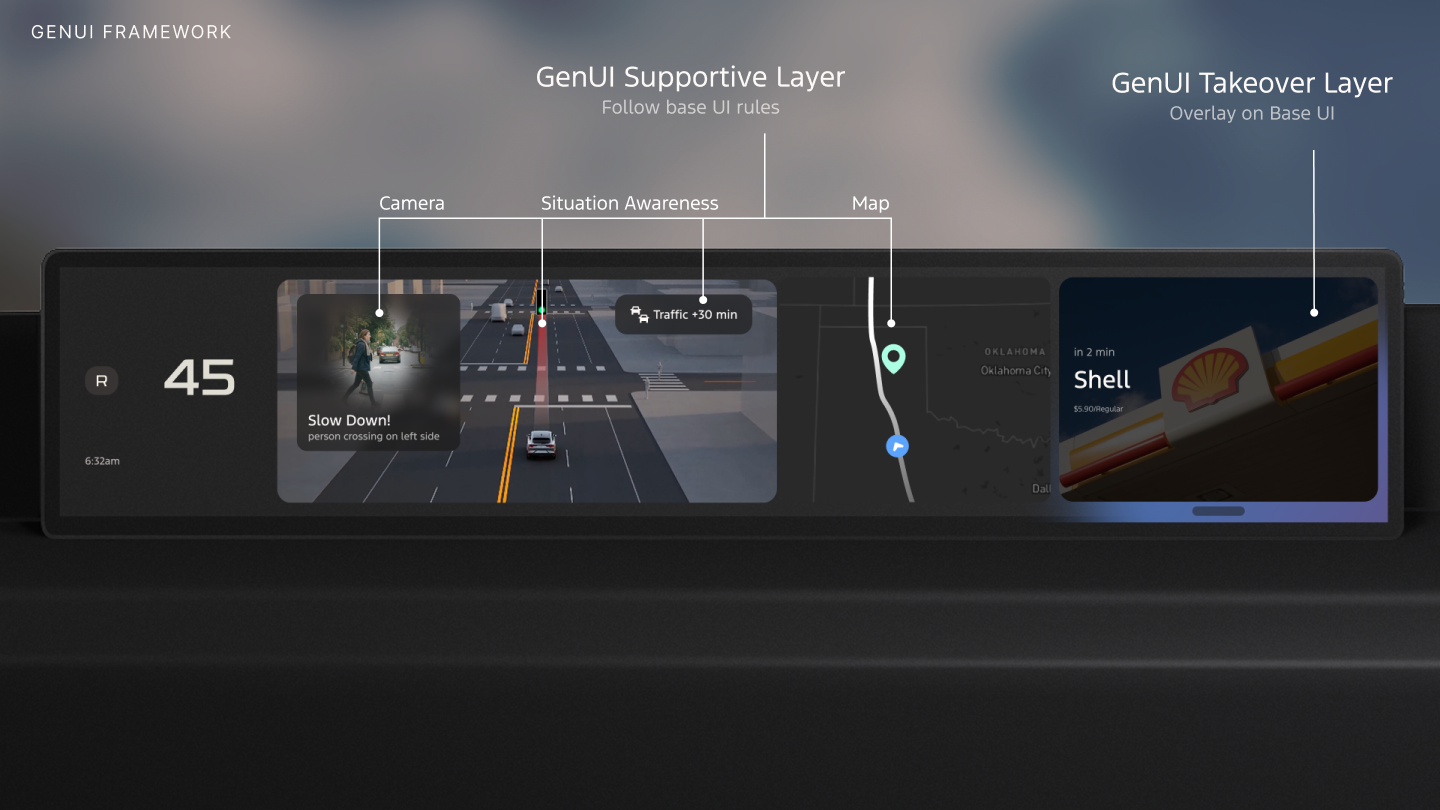
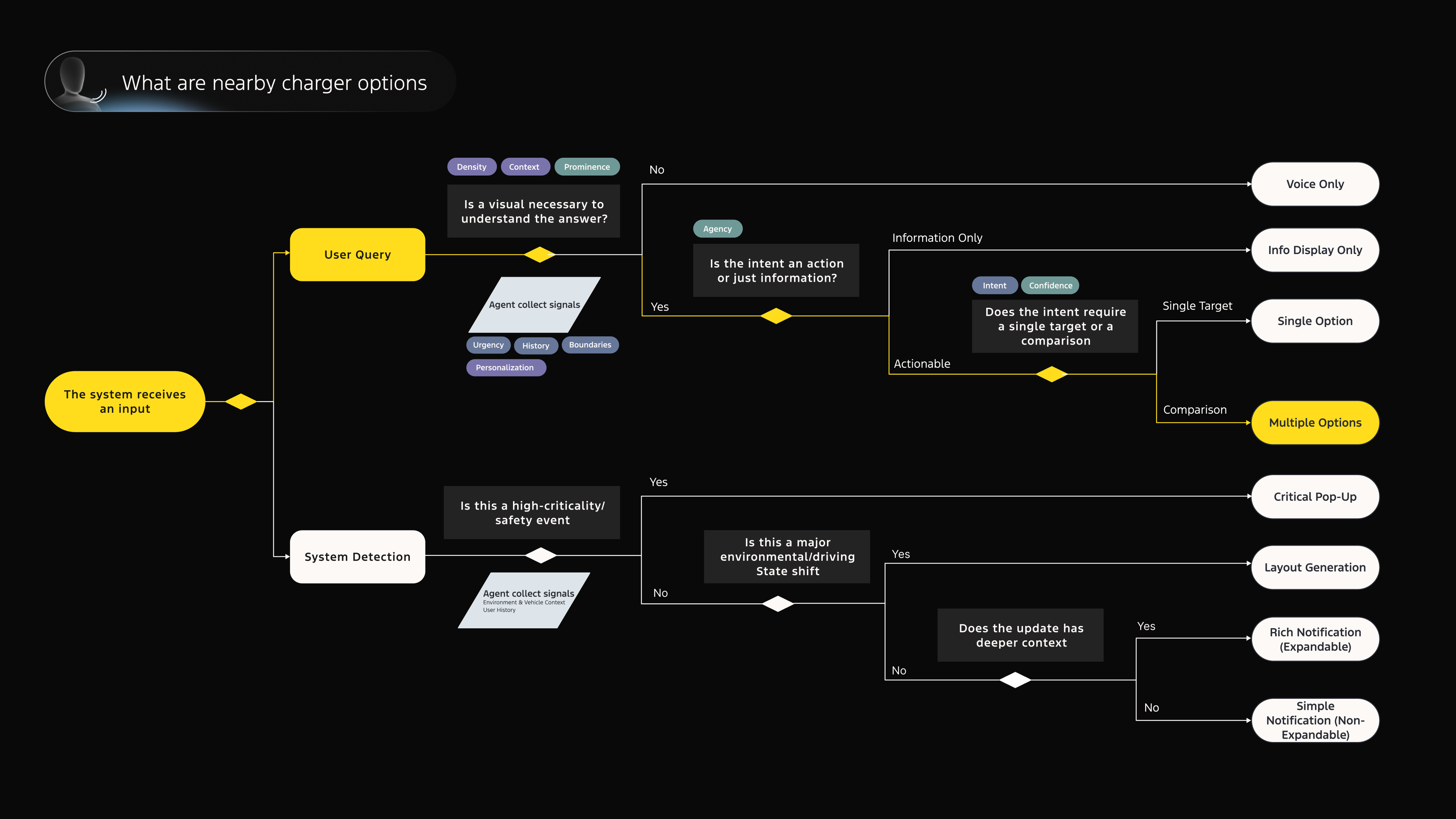
System logic flow diagram
Every input, whether a user query or an environment event, flows through the dimensions to resolve into exactly one of the framework's UI types.
Logic flow example
06 GenUI Framework
Build Scalable Framework
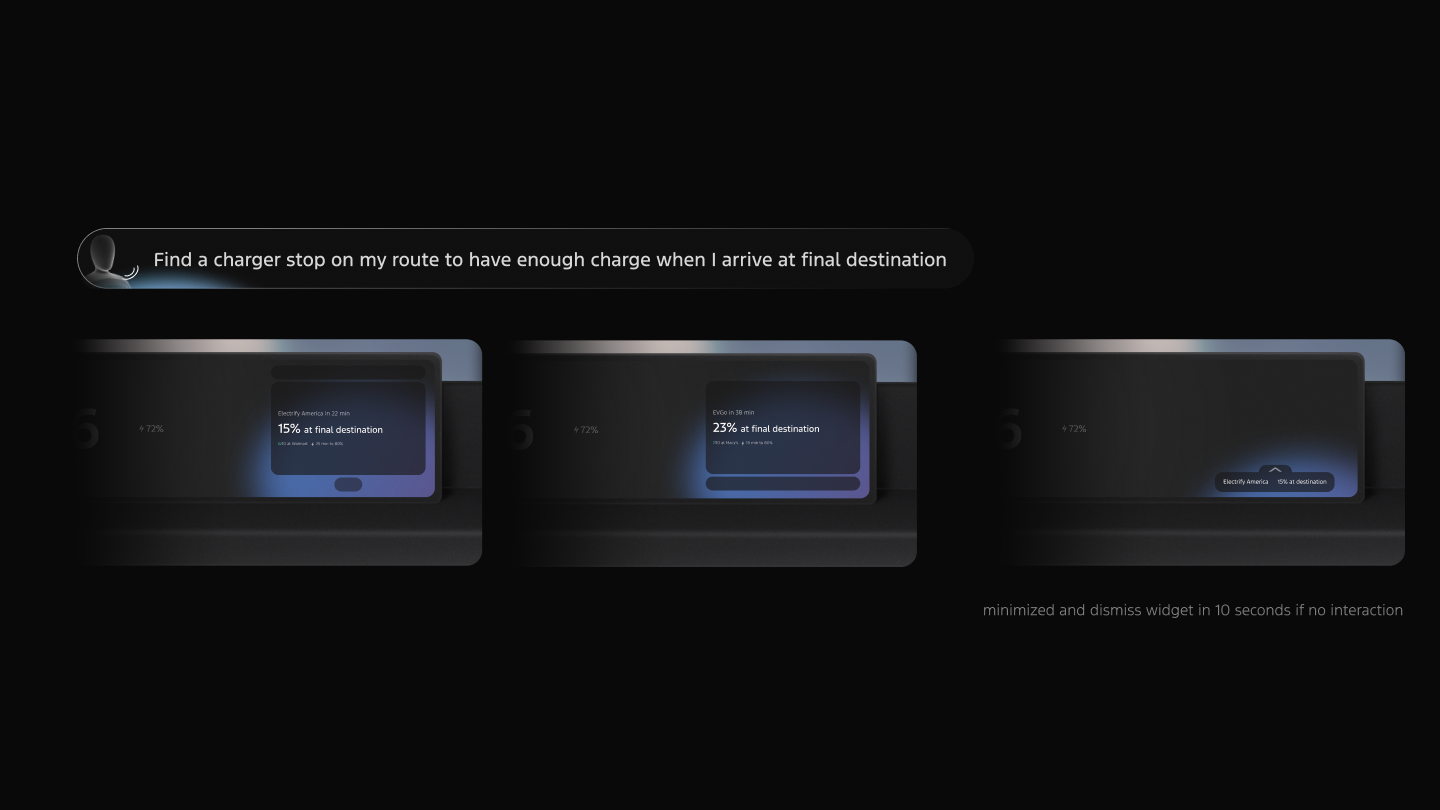
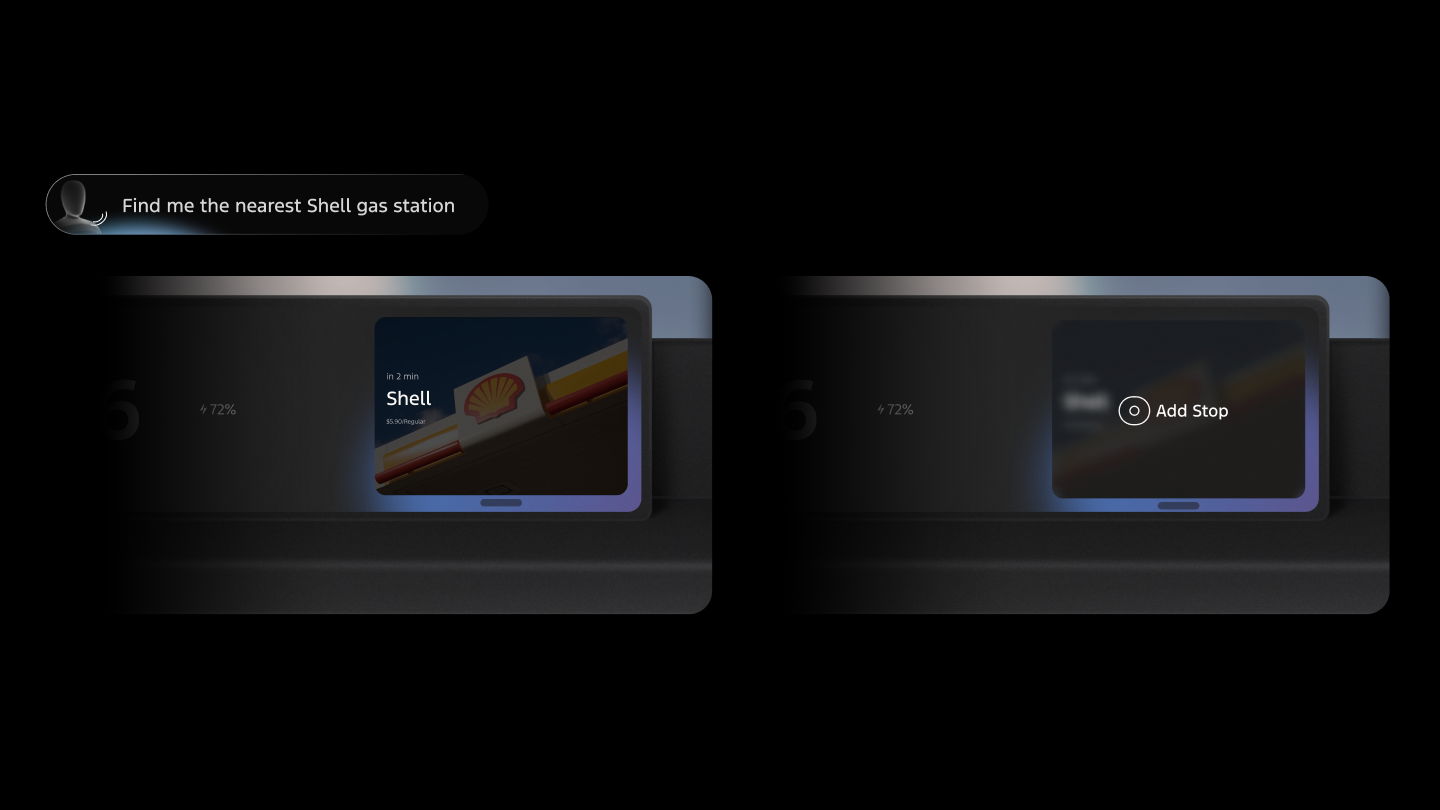
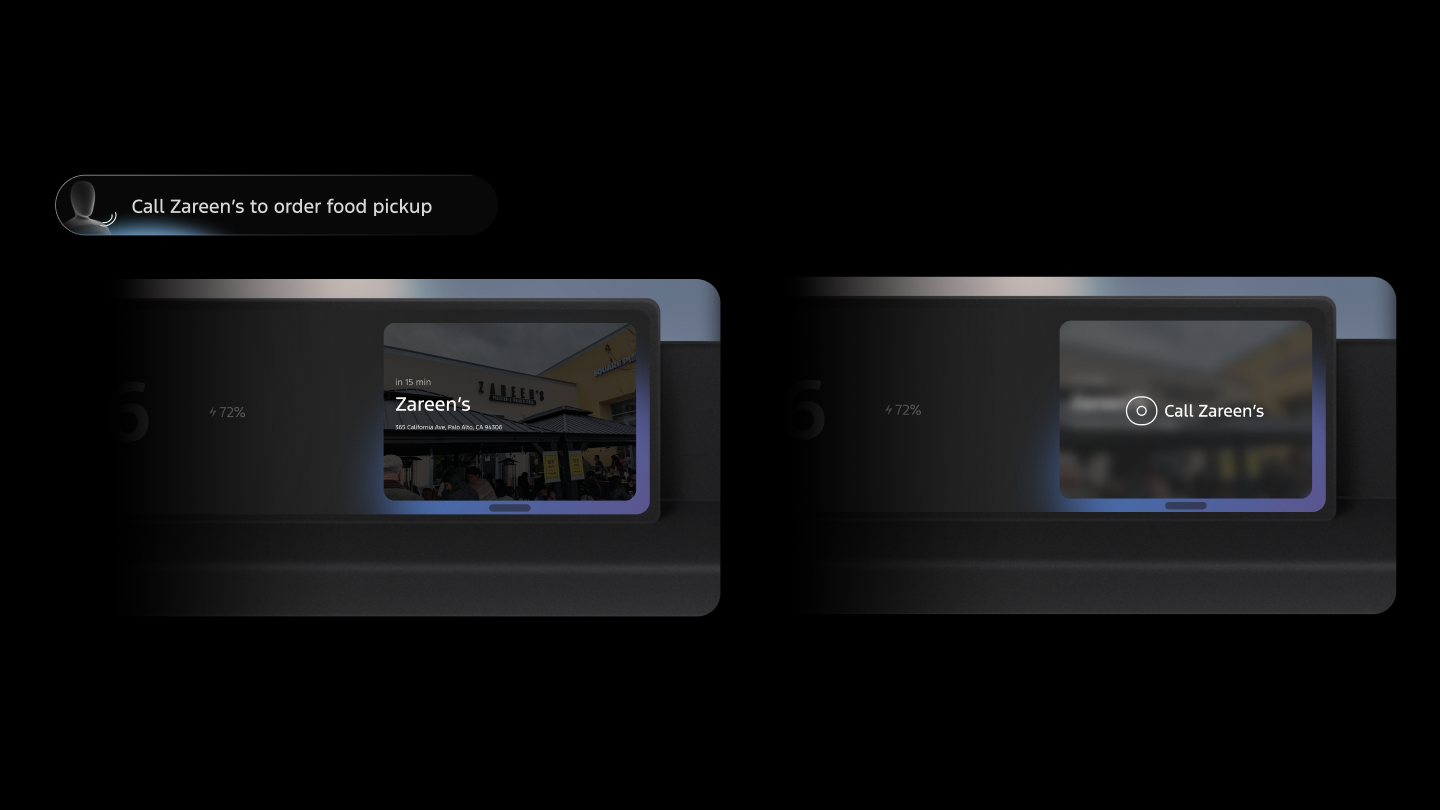
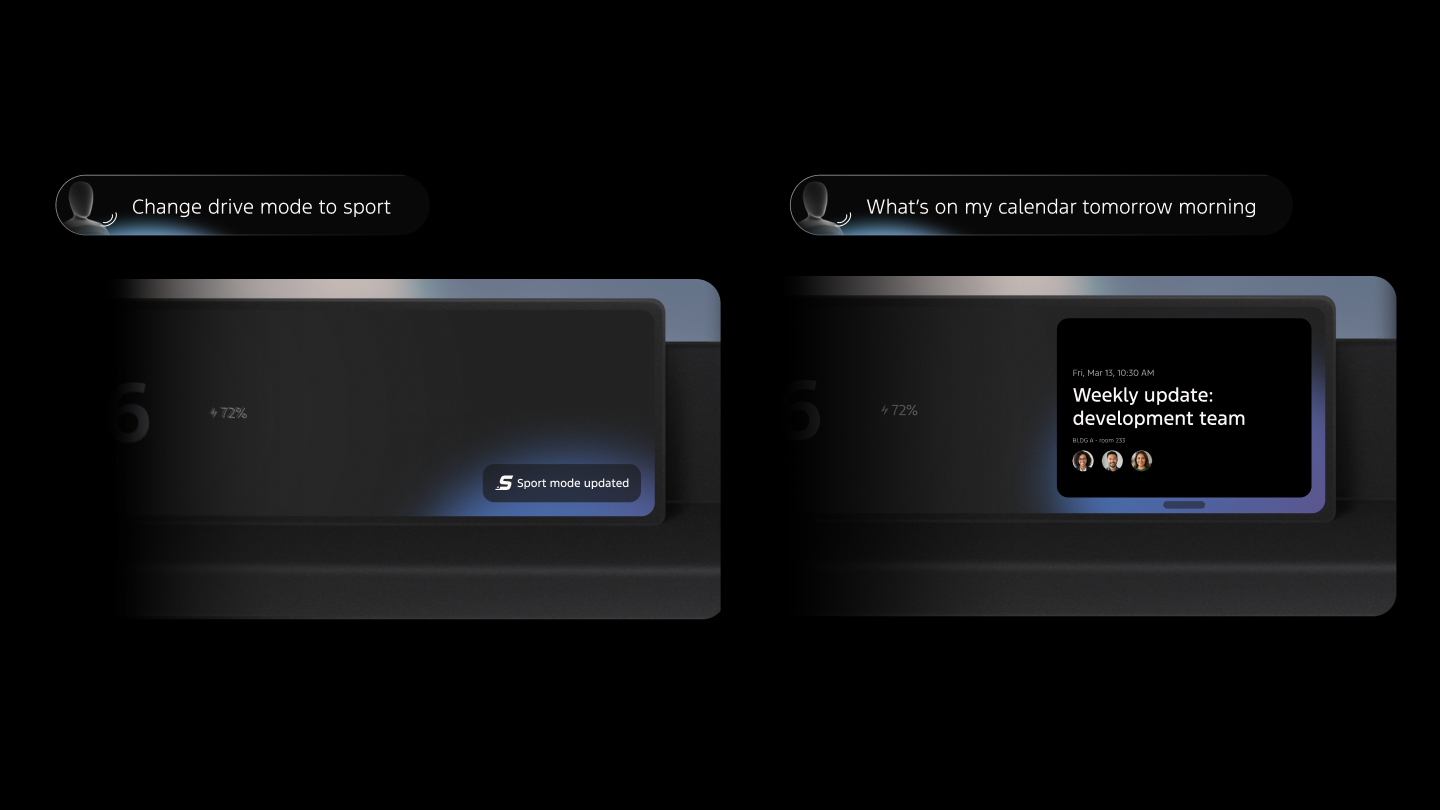
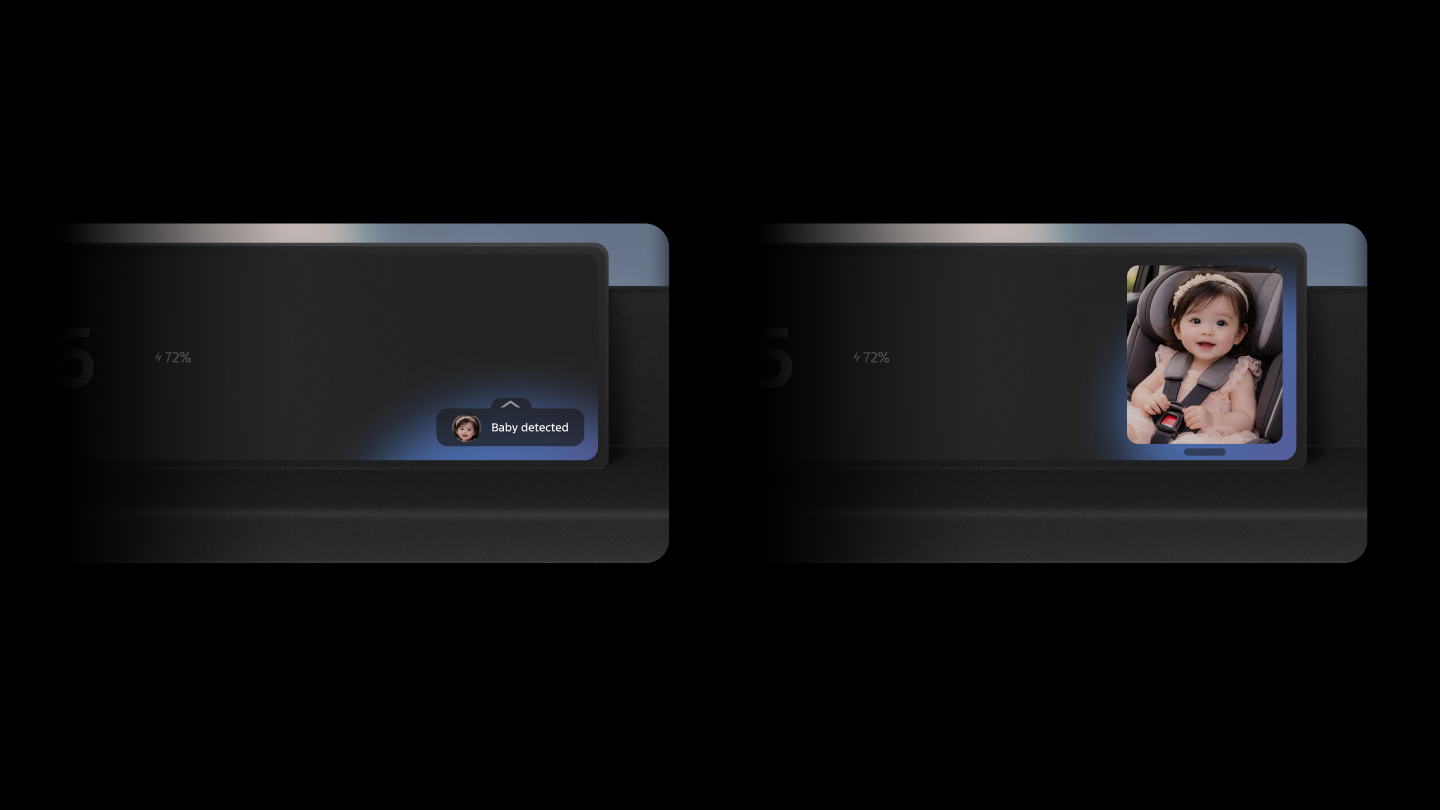
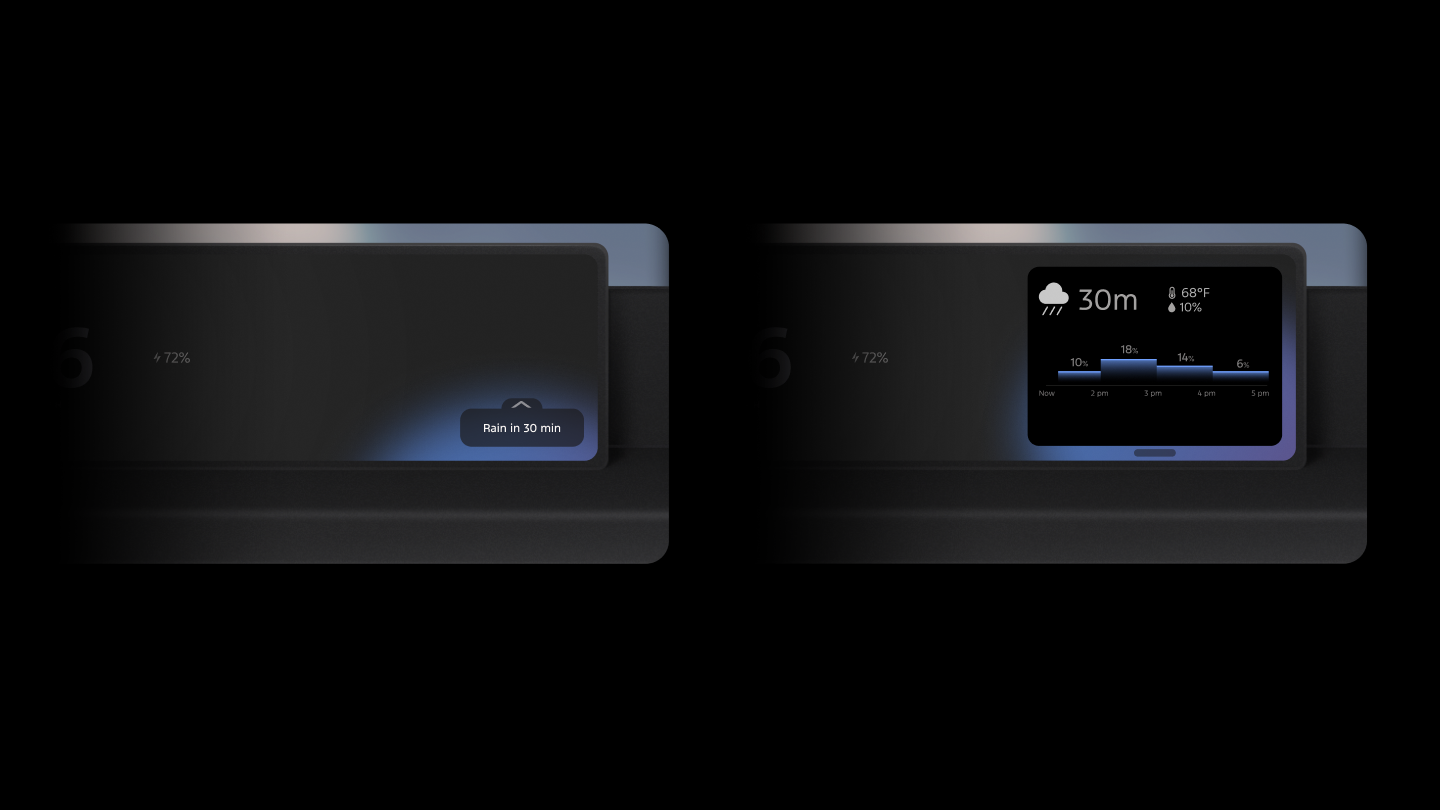
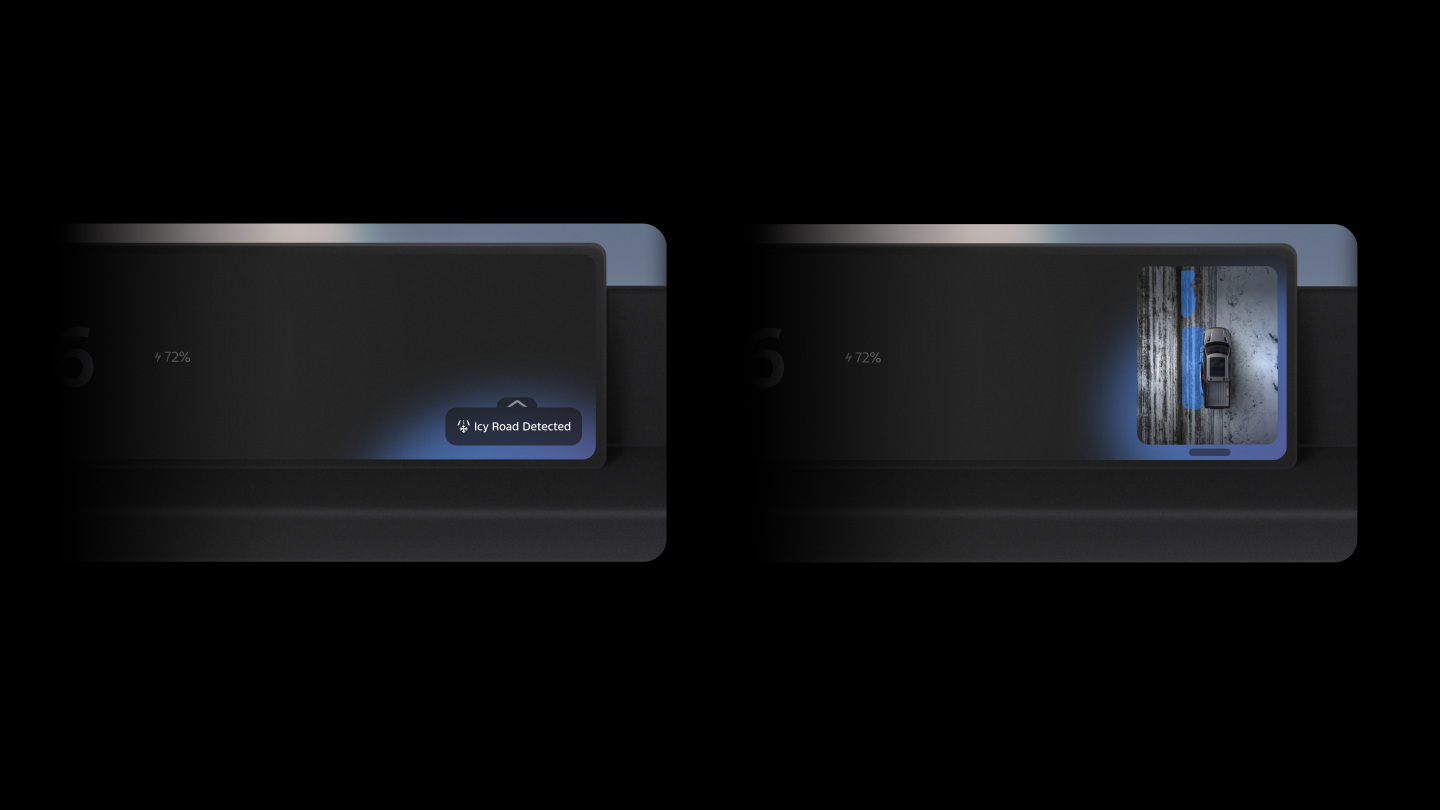
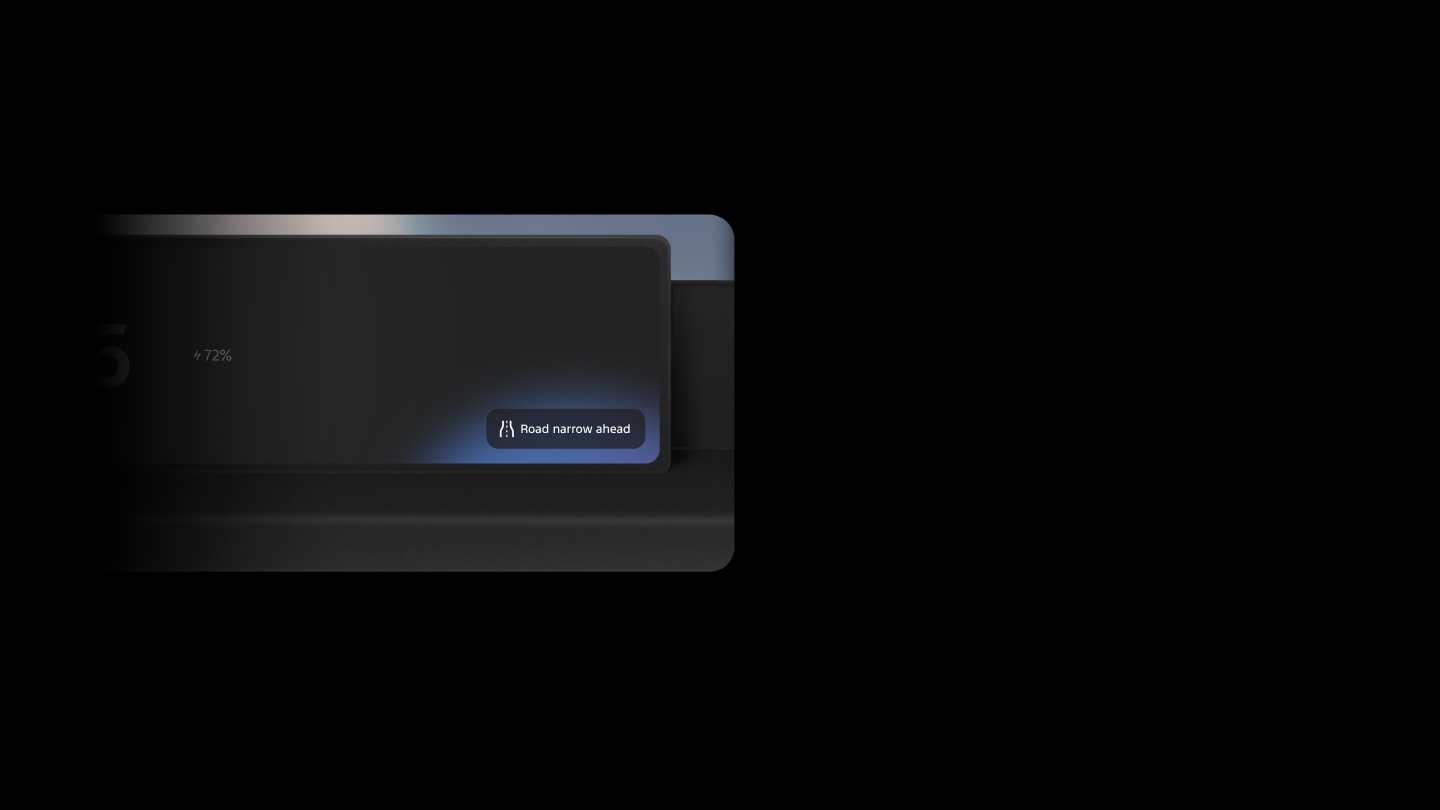
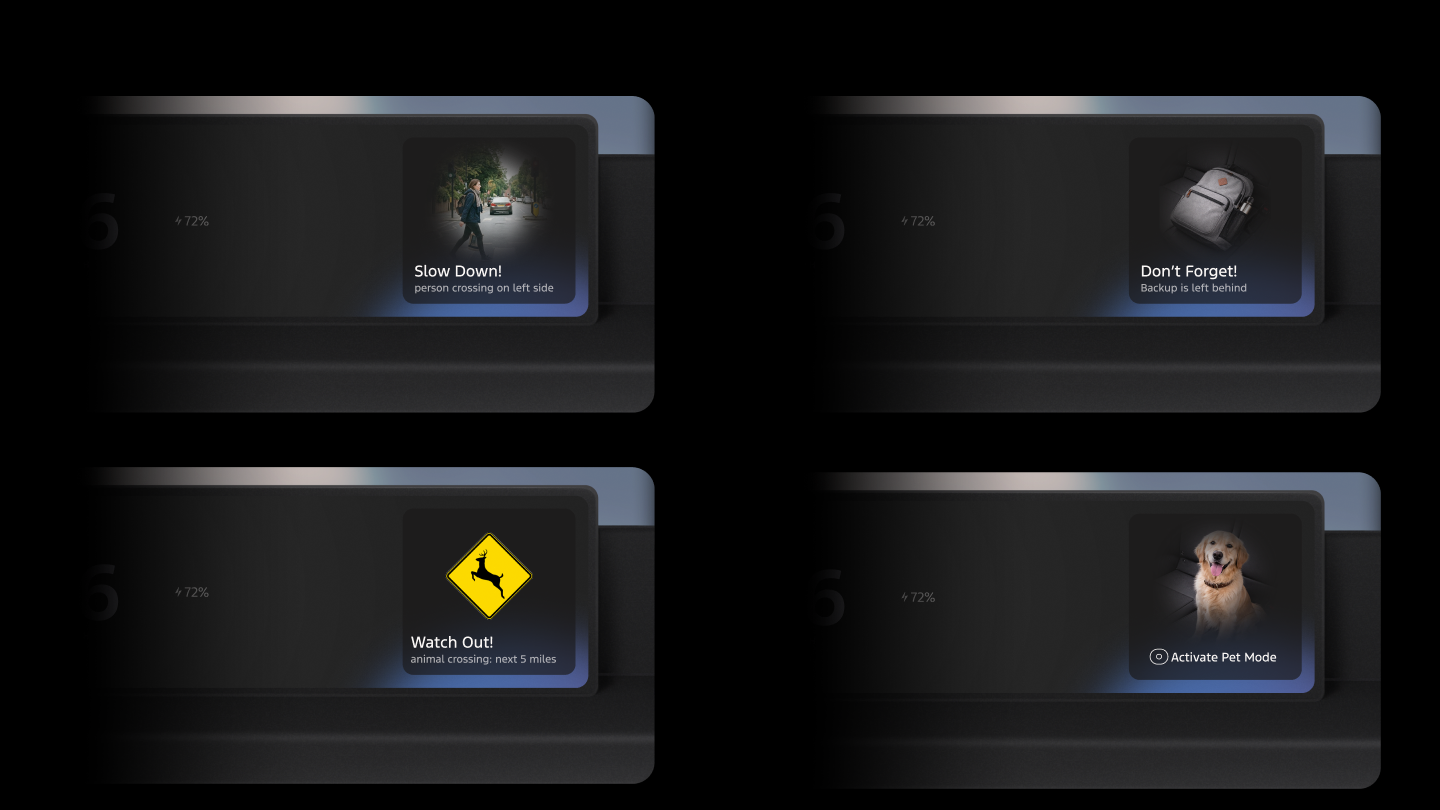
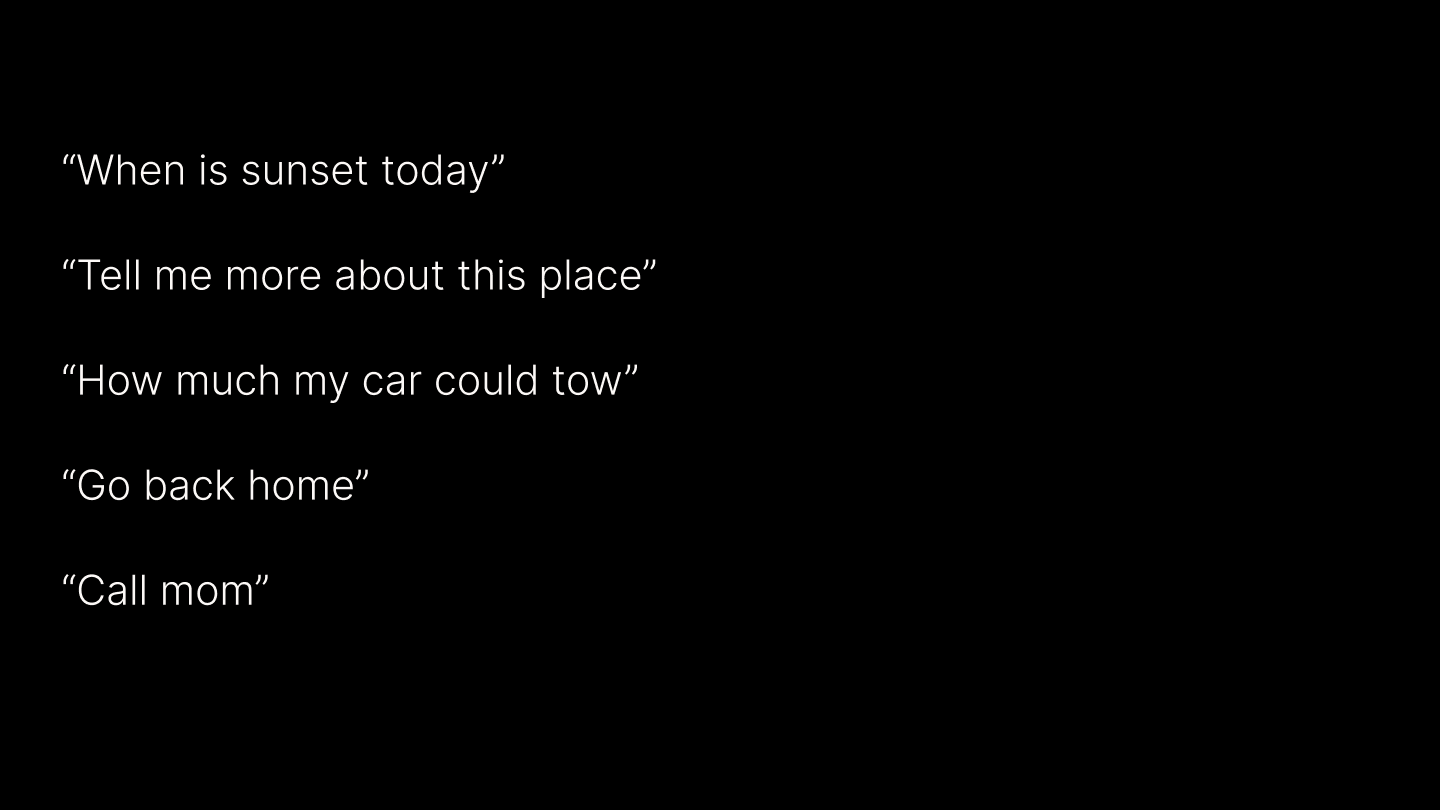
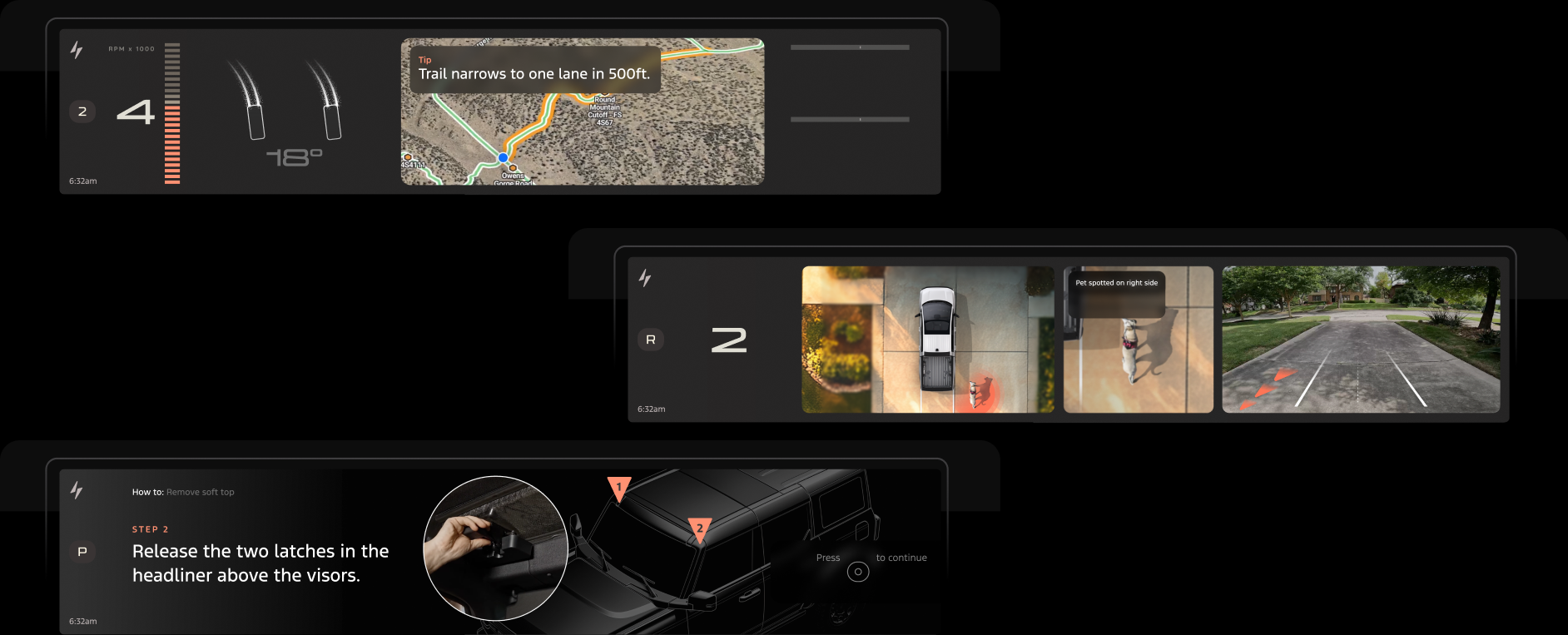
The framework resolves to a set of UI variations. Different scenarios are evaluated based on the dimensions of when, what, how.
Multiple Options






07 Agentic UI
Showing the agent's thinking
Every agent action is surfaced as a visible step so the driver always knows what the AI is doing and why, keeping humans in the loop without adding cognitive load.
Chain of Thought
Each reasoning step is shown in real time. The driver sees the AI check traffic, verify park hours, or reroute, not just the final result.
Safety consideration
When vehicle speed exceeds a safe threshold, chain-of-thought visibility is progressively reduced, condensed to a single status line at moderate speeds, and eliminated entirely at highway speeds. The AI continues reasoning; only the surface is suppressed to protect driver attention.
08 Tasks, Automation & Goals
From individual tasks to standing goals
The framework defines how AI handles multiple concurrent tasks, how they are categorized into distinct types, and how each type surfaces differently across cluster and center screen.
Tasks and History
One example of how a single persistent entry lets the driver browse all ongoing and completed tasks and switch between them at any time, keeping the agent's work visible and navigable without interrupting the drive.
Automation and Goals
Tasks fall into two distinct categories, each with different UI models and interaction patterns in cluster and center stack: automations (rules the driver sets, running in the background) and goals (proactive intents the AI pursues on the driver's behalf). Both span one-time, duration-bound, and standing scopes, with explicit rules for when proactive behavior should surface or stay silent.
| Type | Scope | Initiated by | Example |
|---|---|---|---|
| Automation | One-time | User | "Remind me to pick up my order after work today." |
| Duration | User | "Keep Quiet Start active for two weeks." | |
| Forever | User | "Remind me to grab my license when I leave." | |
| Goals | One-time | User | "Plan the best route for today's open houses." |
| Proactive | "Mountains ahead - download offline maps?" | ||
| Duration | User | "Optimize for fuel economy this road trip." | |
| Proactive | "Heat wave next week - activate heat protection?" | ||
| Forever | User | "Learn more about my new neighborhood." | |
| Proactive | "You use Pro Power on Mondays - prioritize battery?" |
In the Cabin
The culmination, taken past the mockup stage: one cockpit, coded end to end, where the cluster, center screen, and steering wheel controls run together in real time. I built this integrated experience myself, straight from Figma into VS Code with AI, layering in micro-interactions and 3D animation for a simulation close enough to feel real.
09 Contextual Copilot
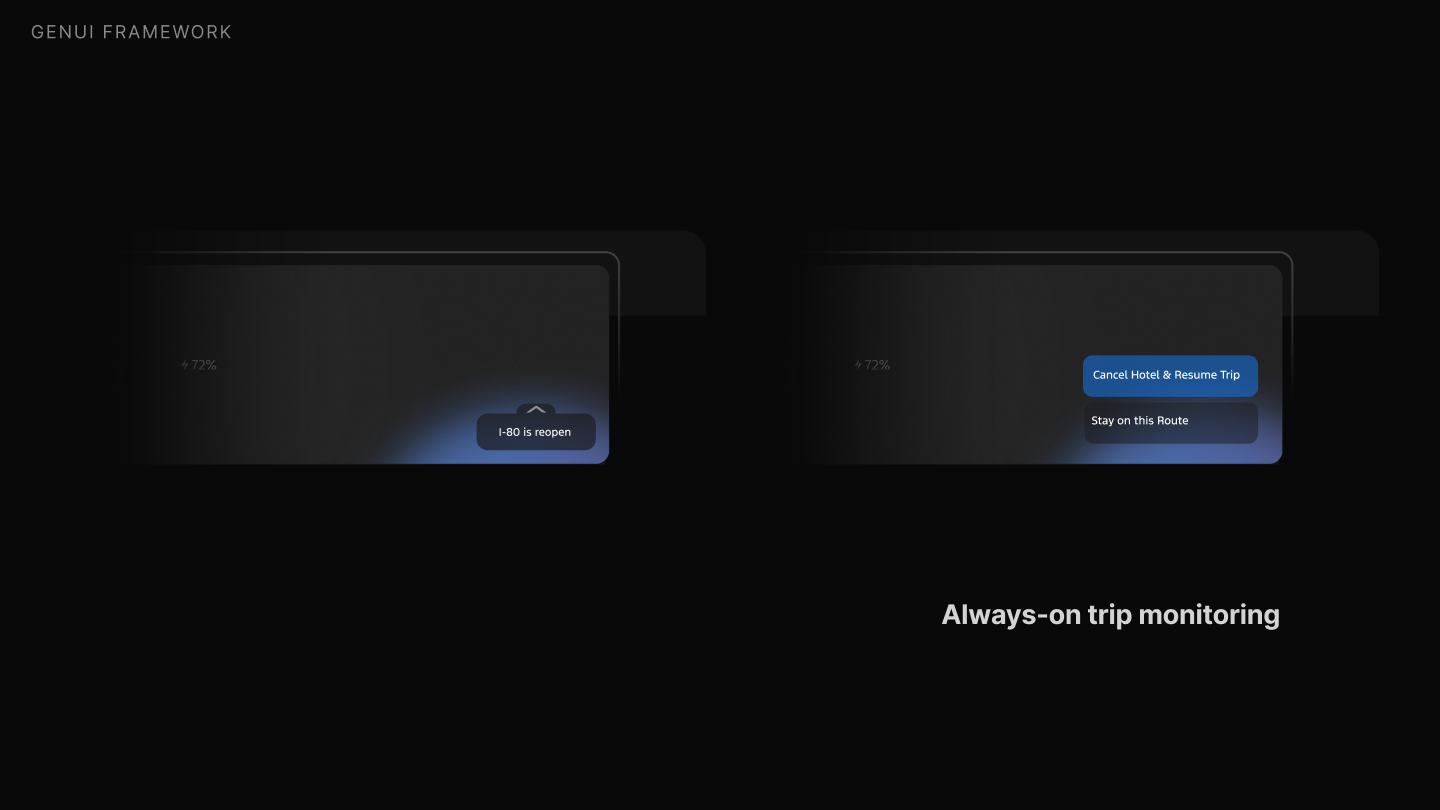
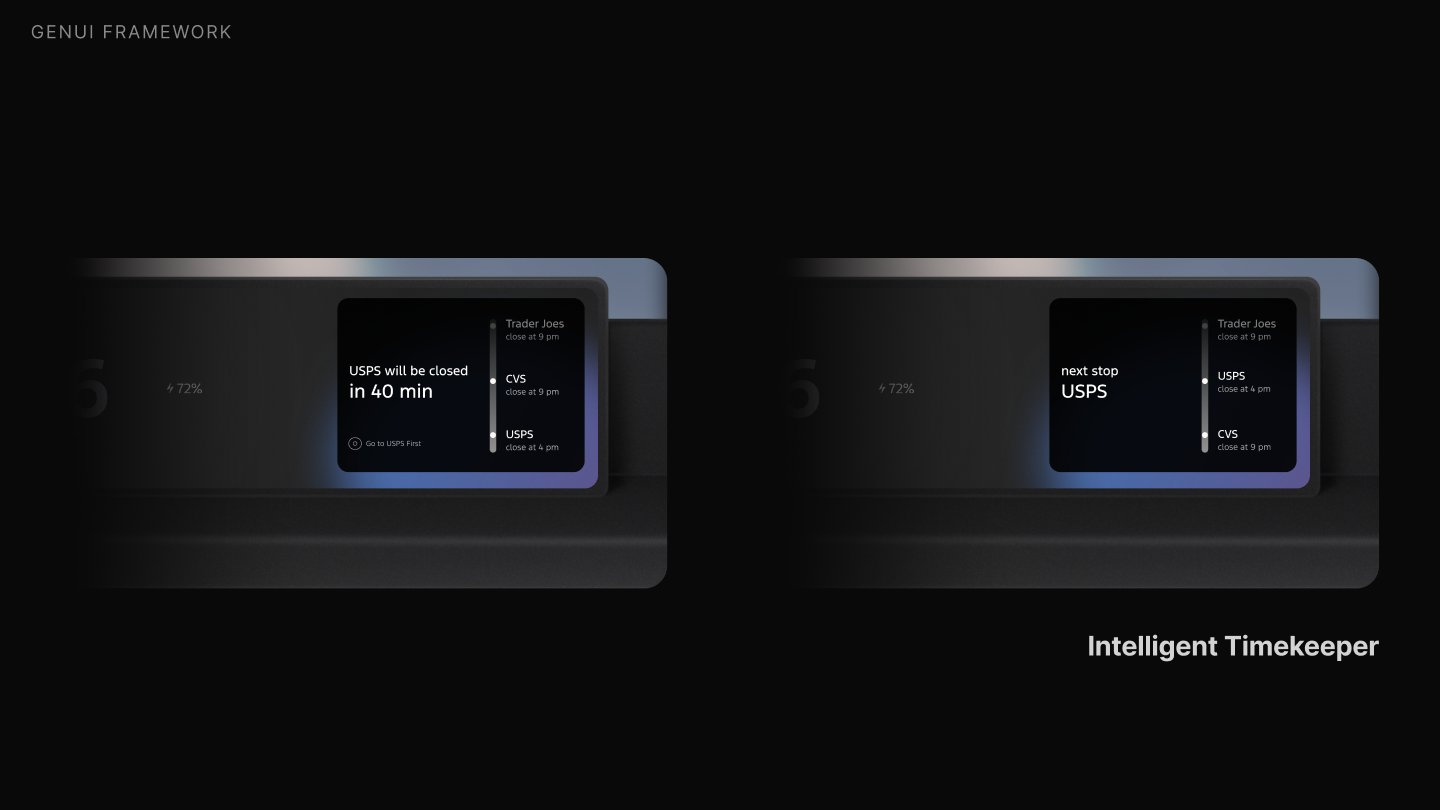
A copilot that anticipates the trip
Tying it together: a contextual copilot that watches the journey and the world, reopening routes and beating closing times to surface the right UI type at the right moment.
10 Third-Party Integrations
Connecting to the world outside the car
The AI reaches into services, apps, and devices to act on the driver's behalf, completing tasks before they even think to ask.
Drive-Through Ordering
Pulling into a McDonald's triggers the AI to surface the driver's usual order, ready to confirm and send ahead.
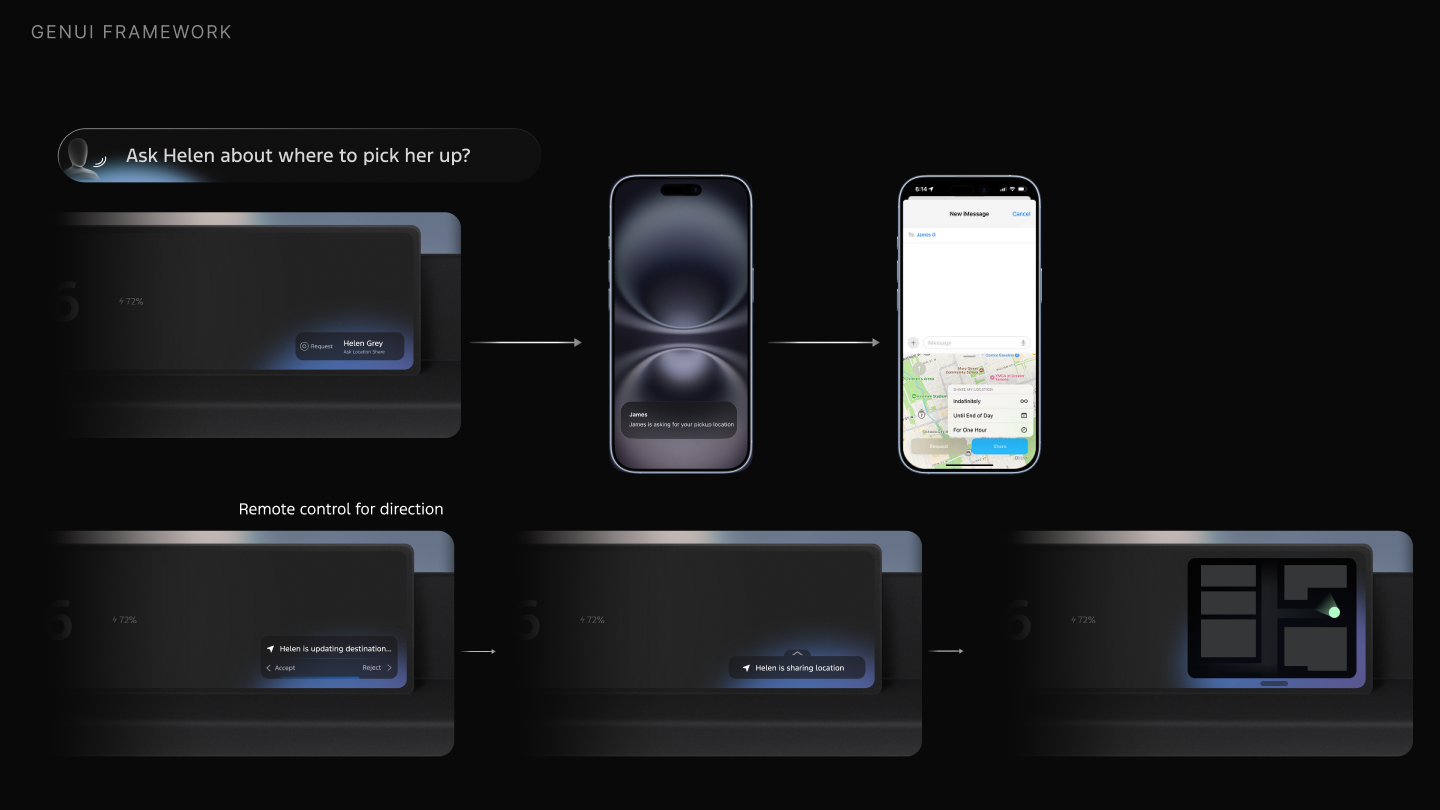
Cross-Device
The AI coordinates between the cabin and the driver's phone so passengers and pickups are part of the picture.
11 Impact
An Intelligent North Star
From 0 to 1
- Turned blue-sky GenUI concepts into a tangible architectural framework and interaction rules
Cross-functional governance
- Started the cross-team collaboration that streamlined, consolidated, and unified each phase's AI design
Unified intelligent vision
- Framework immediately adopted across visual and mobile teams, directly shaping the near-term AI product vision
GenUI advisory
- Embedded as the GenUI expert across teams, driving advisory and co-creation of intelligent experiences launching in the next release cycle
Where it started
Phase 1: GenUI Concepting
The open exploration and user testing that this framework is built on.