01 Overview
GenUI
Concepting
Explore & define a high-level framework and design principles for adopting agentic AI and generative UI into the vehicle experience.
This is Phase 1, continues in Phase 2
This open exploration evolved into a scalable GenUI Framework.
Phase 2 turns these experiments into a North Star framework applies to Ford's intelligent vision.
Role
Product Designer / Prototyper.
Concept Exploration → Experience Prototyping → User Testing → Early Validation.
Scope
This is an enabler and reference system, not a single feature or product.
Focuses on what's possible and what's feasible.
Outcome
Translated concept into testable experiences.
Established common patterns, rules, and best practices for interaction models.
Public demo at CES 2026.
02 Challenge
Designing dynamic UI for a moving car
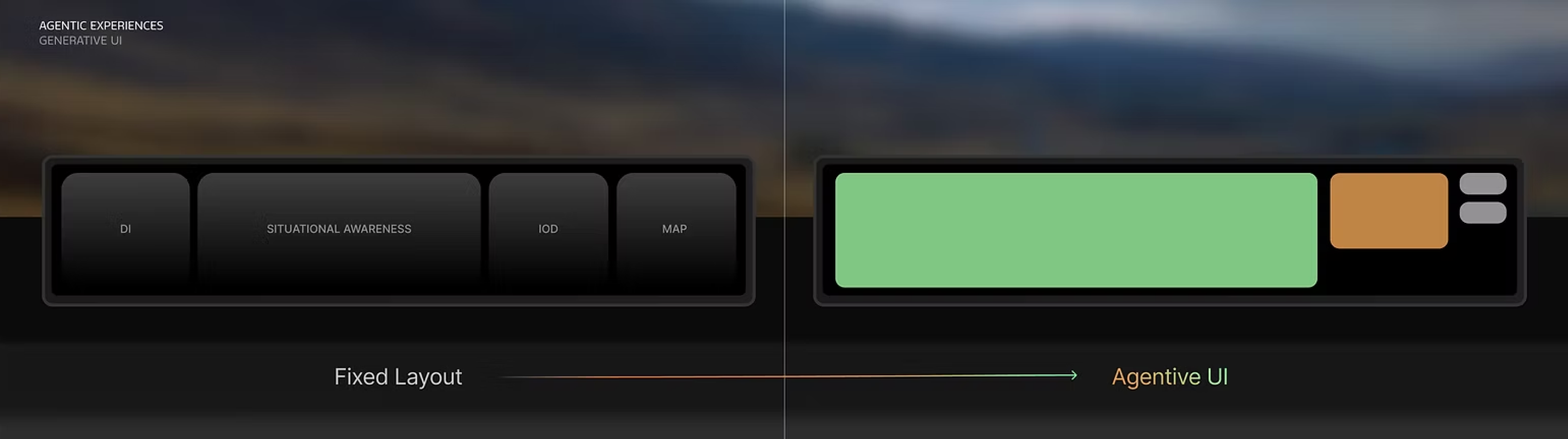
Vehicle interfaces are shifting from a fixed layout to an agentive UI that generates itself around the moment. Currently there are no established patterns to lean on.
03 Project Focus & Design Rationale
Framing the constraints
Why the Cluster Screen?
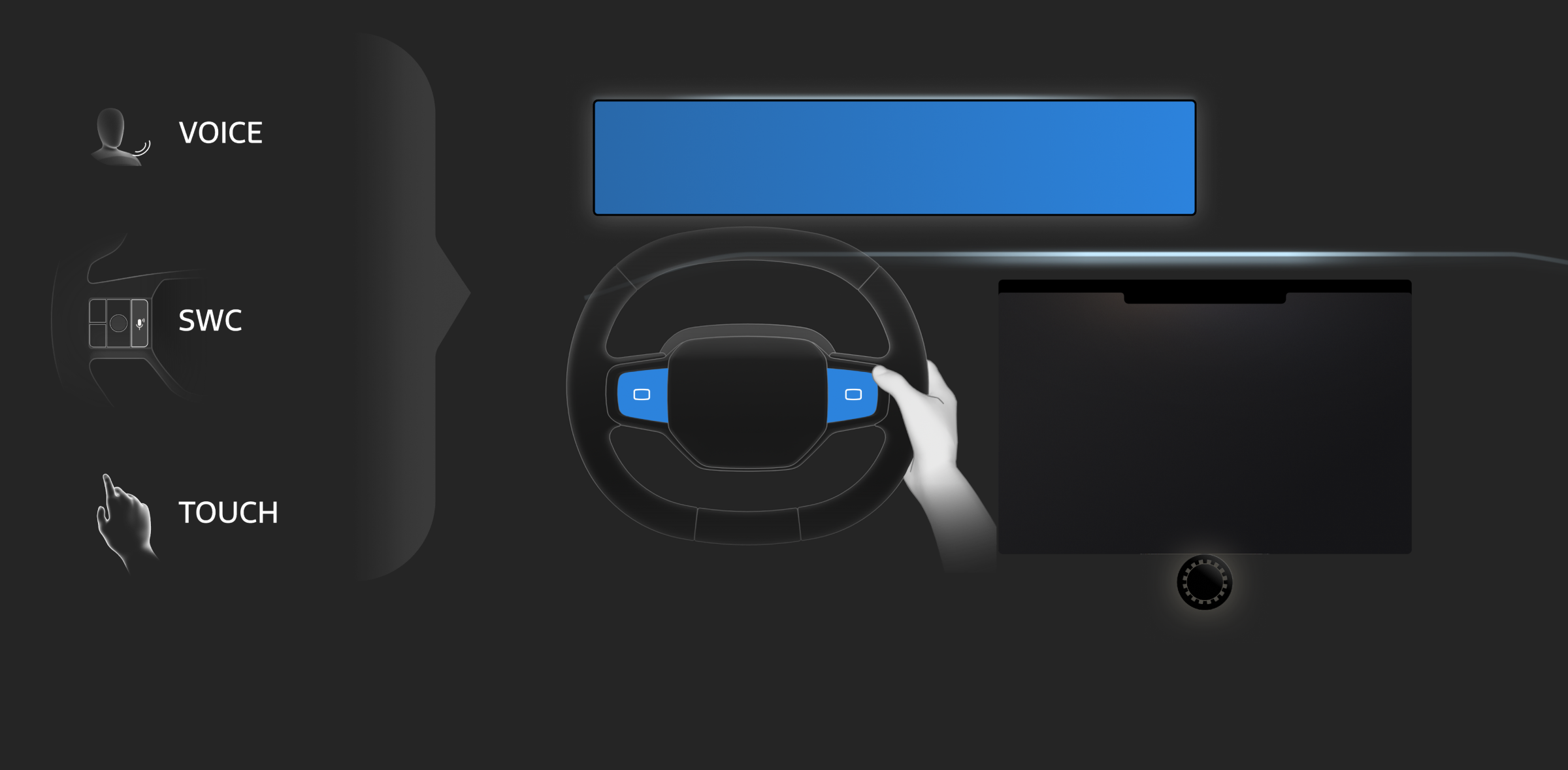
The cluster's limited space made it the hardest, most valuable surface to solve for, forcing the best way to show complex information in a tight layout.
Eyes-On-Road Safety
I believe the best way is to allow driver interacts with GenUI without ever having to look down at the center screen, keeping eyes-off-road time to a minimum.
Scalable Controls
I chose a standard 4-way steering wheel control (Up/Down/Left/Right + Center Confirm) as the starting point, a universal setup that keeps the interaction patterns scalable across platforms.
04 Approach
From open exploration to user journey flow
My approach: diverge widely in Phase I: Open Exploration, then converge in Phase II: Functional Build and On-Road Study.
What I Explored
- Proactive AI moments
- Interaction model to initiate, acknowledge, and disengage
- Cognitive load vs. information density
What I Built
- Generative UI vignettes
- Experience-based user journey
- Functional flows with hardware controls
How I Validated
- Small-scale user testing on key interaction moments
05 UI Vignettes
A breadth of generated moments
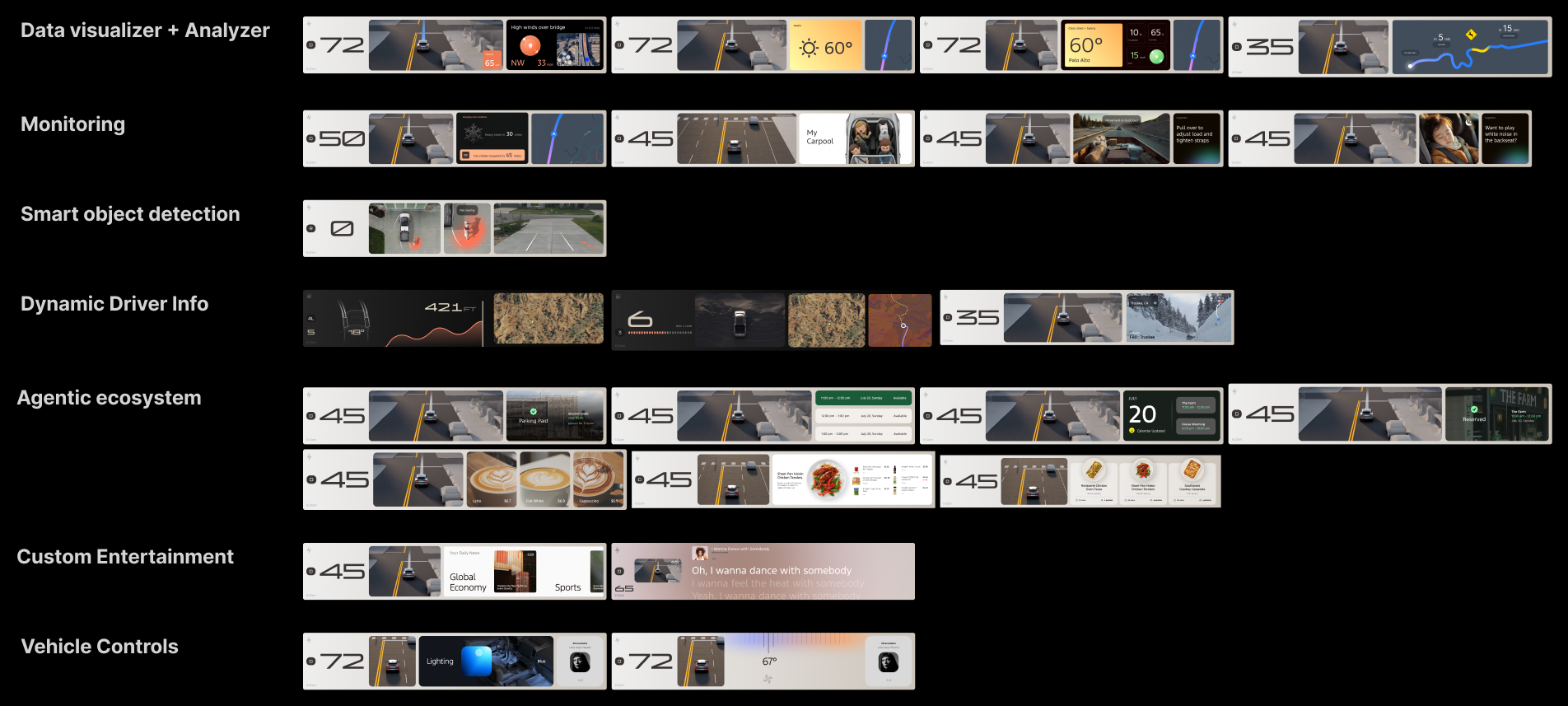
Vignettes spanning data visualization, agentive ecosystem, smart object detection, dynamic driver info, monitoring, custom entertainment, and vehicle controls, exploring how far generative moments can stretch across the drive.
06 Open Explorations
Building blocks for generative UI
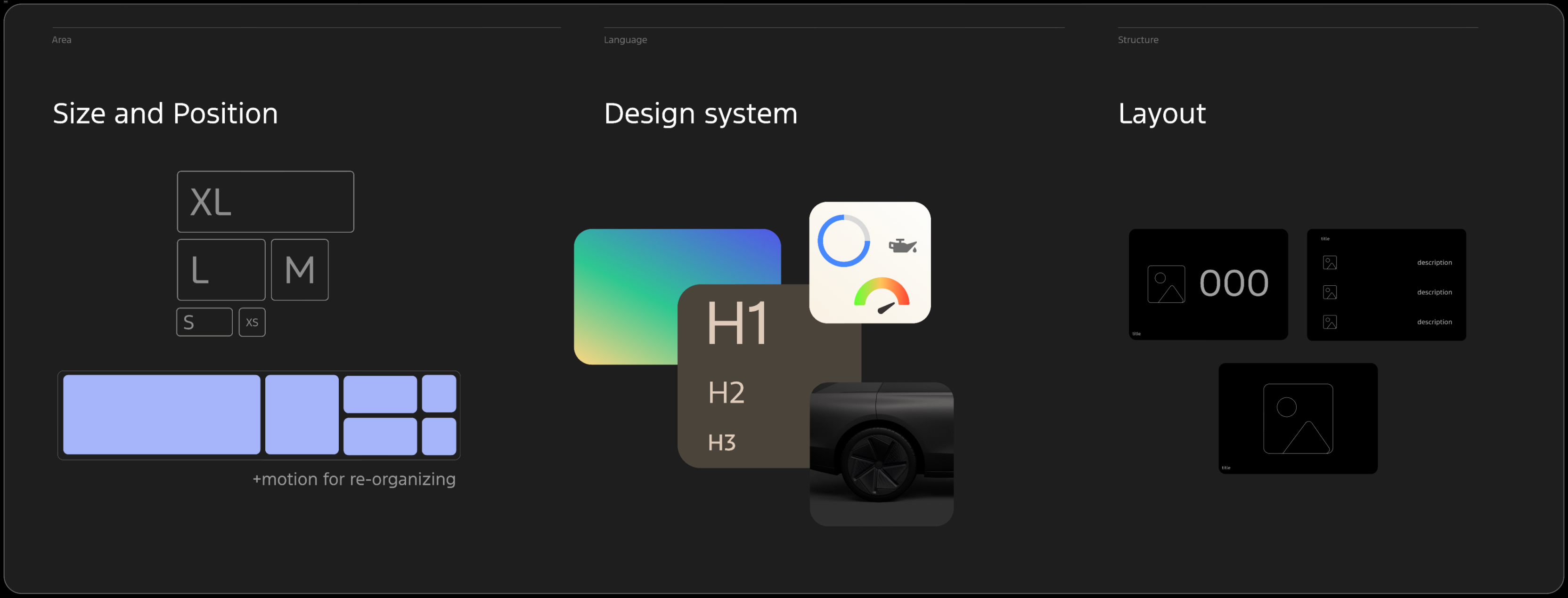
A toolkit of primitives: size & position, design-system tokens, and layout, so that the system can recombine into reusable layout patterns and generated widget content.
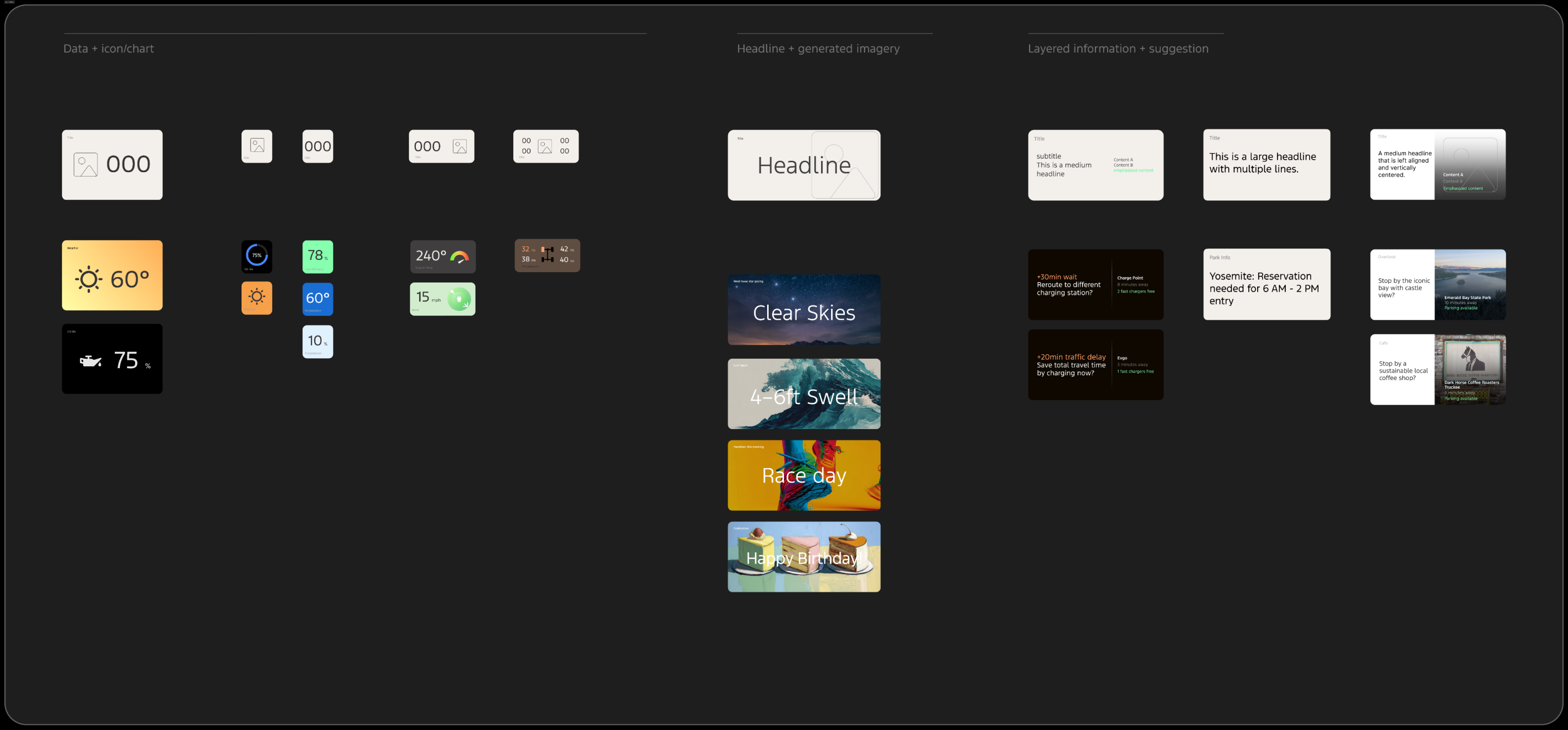
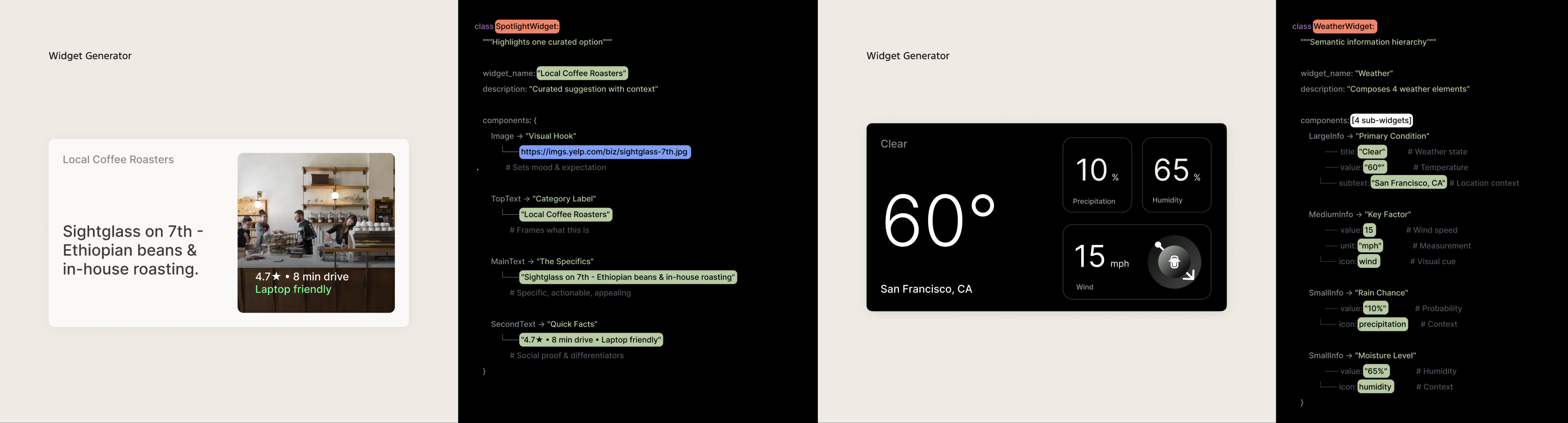
Nature & characteristics of glanceable widgets
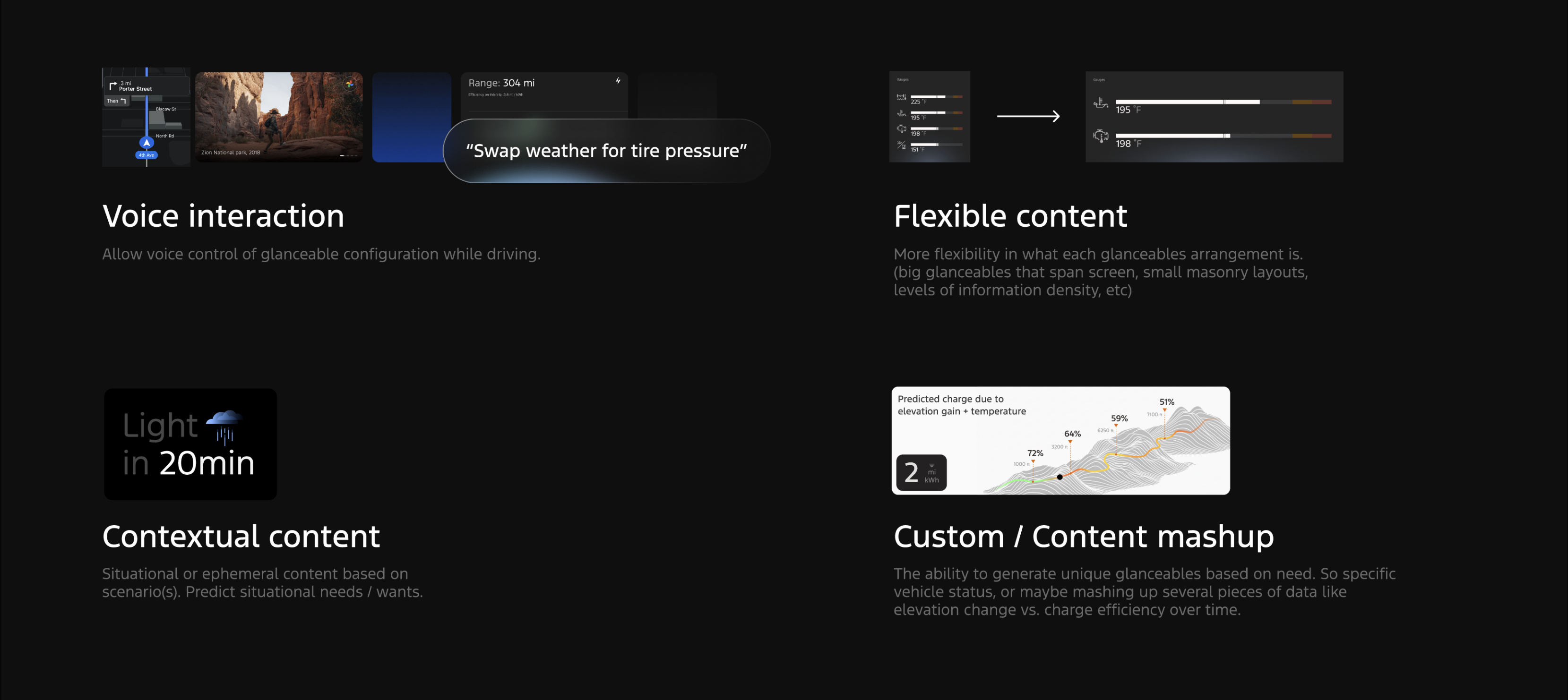
Voice Interaction
- Voice control of glanceable configuration while driving
Flexible Content
- More Flexible glanceable arrangement: big glanceables that span the screen, small masonry layouts, varied information density
Contextual Content
- Situational or ephemeral content based on scenarios, predicts situational needs and wants
Custom / Content Mashup
- Generate unique glanceables on need like mashing elevation change and charge efficiency over time
07 System View
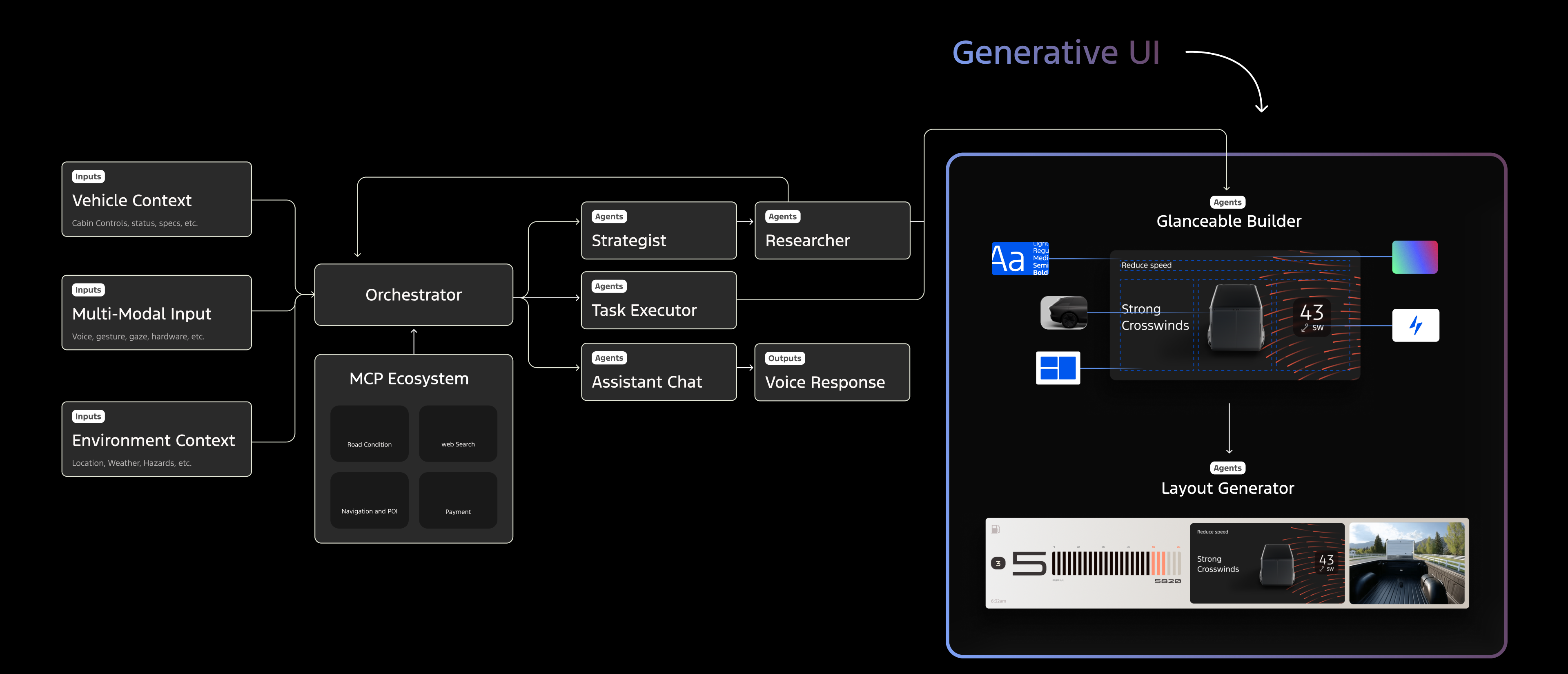
The agentic system behind the UI
High level view of how Vehicle context, multi-modal input, and environment context feed an orchestrator with MCP ecosystem of agents to drive a widget builder and layout generator.
08 Journey Guide
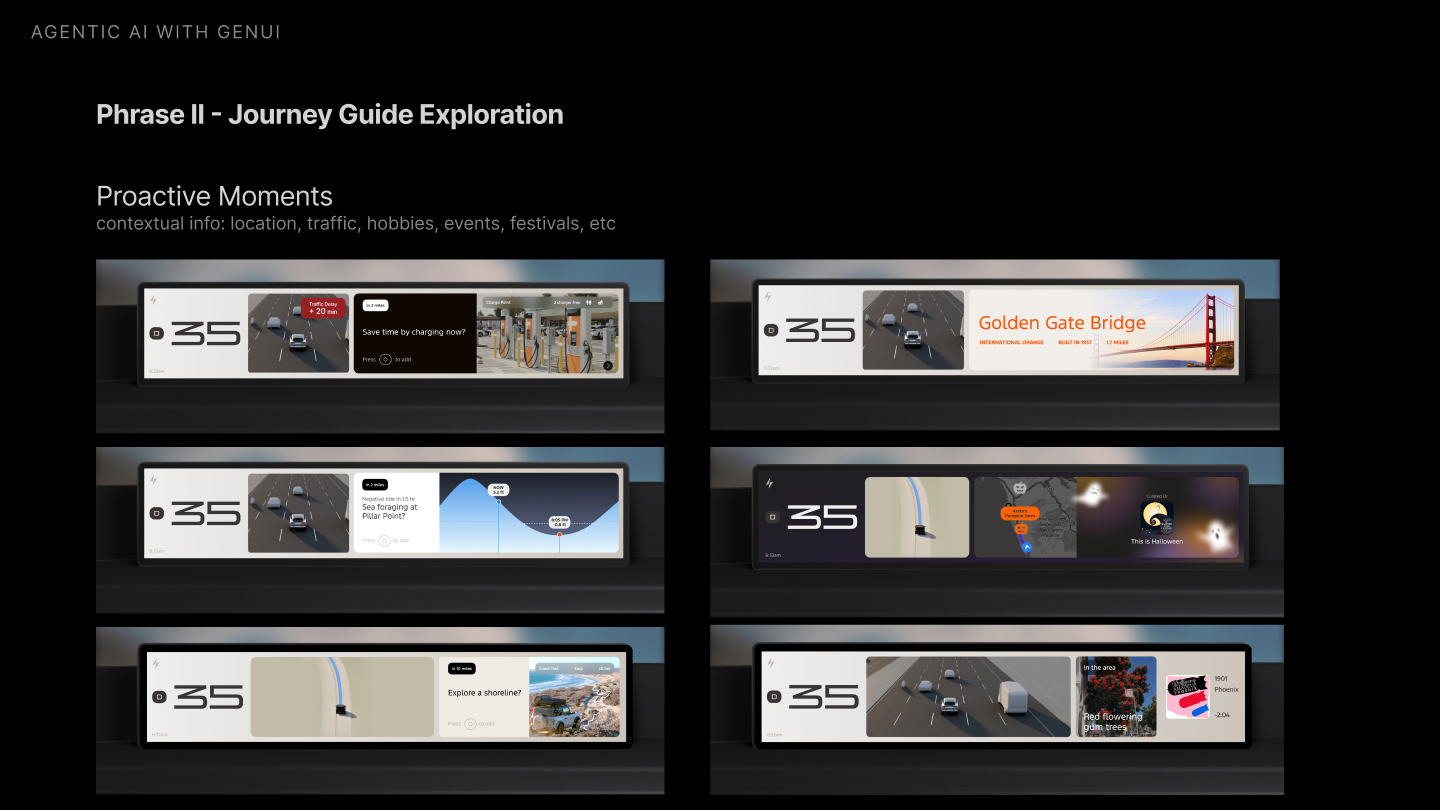
Explore Journey moments
Aligning with product and strategy team to create example flows for different types of journey.
Journey Guide Focus
- Adventure
- Experience Discovery
- Journey Optimization
User Pain Points
- Discovery & Planning
- Personalization
- POI Accuracy
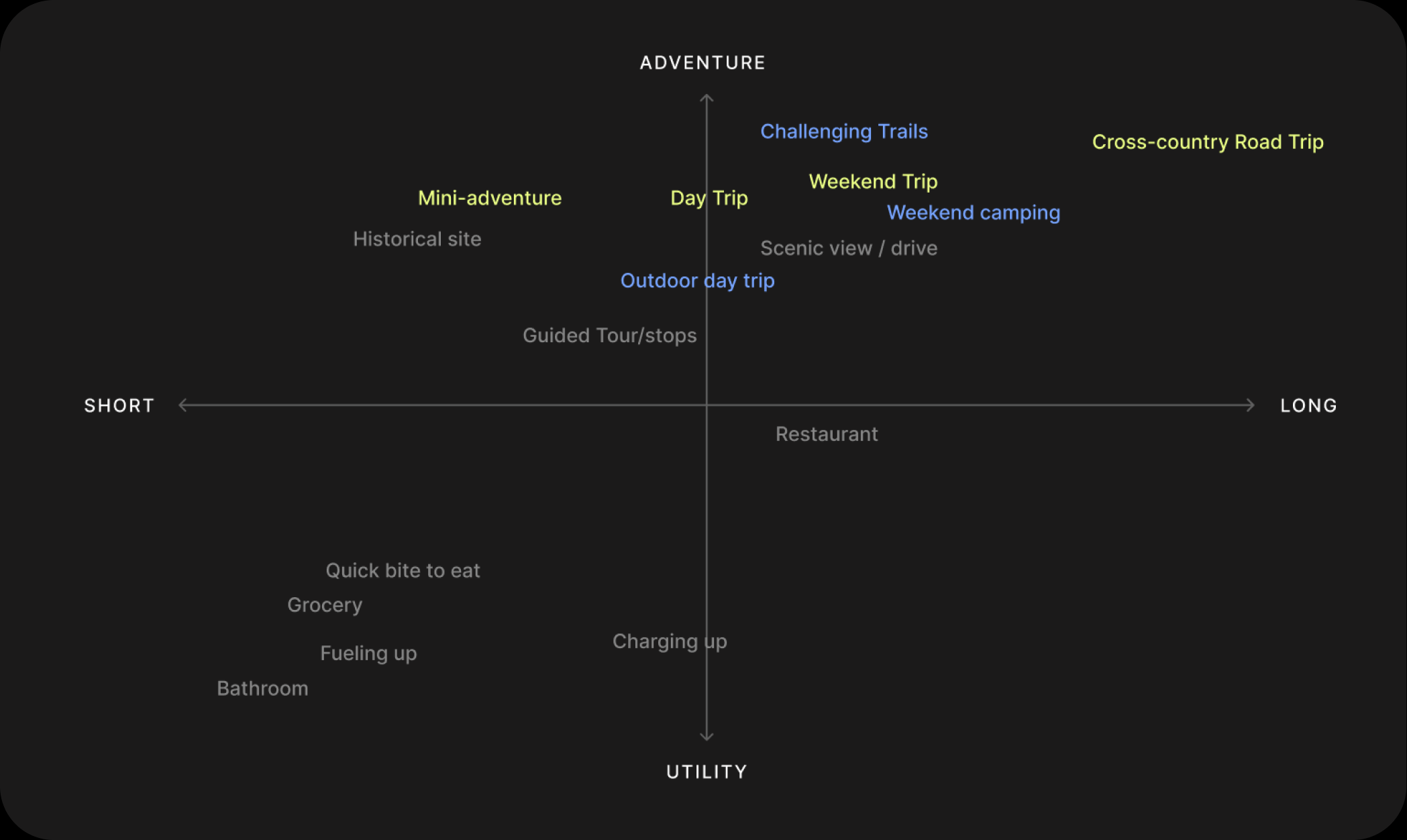
I ran a few workshop sessions with the team to brainstorm and map the use cases across journey moments, from planning to arrival.
Use Case Example Flow
Click a moment on the timeline, or use the arrows on the screen, to step through the example.
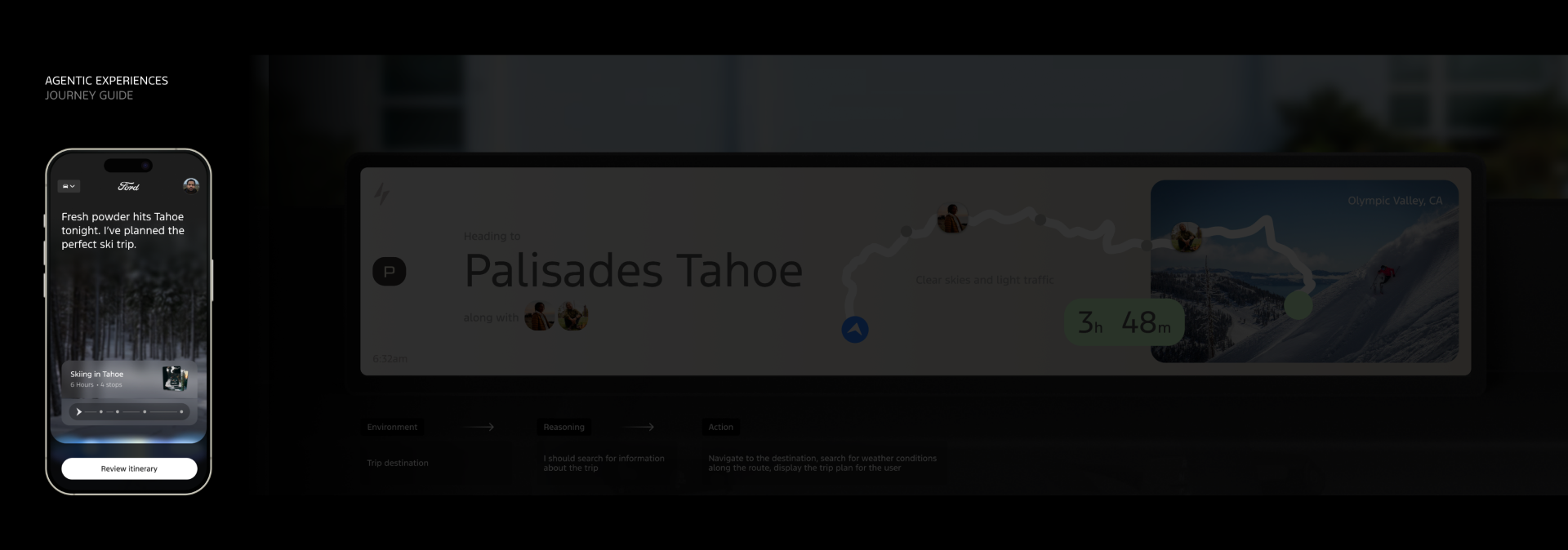
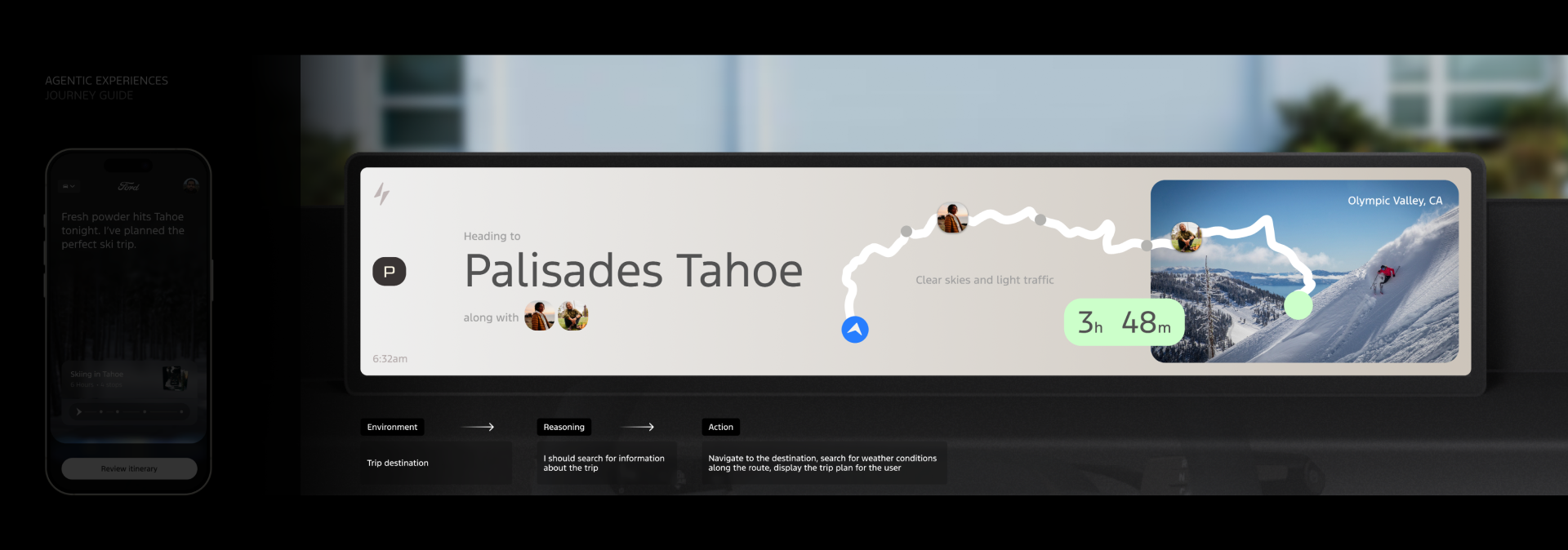
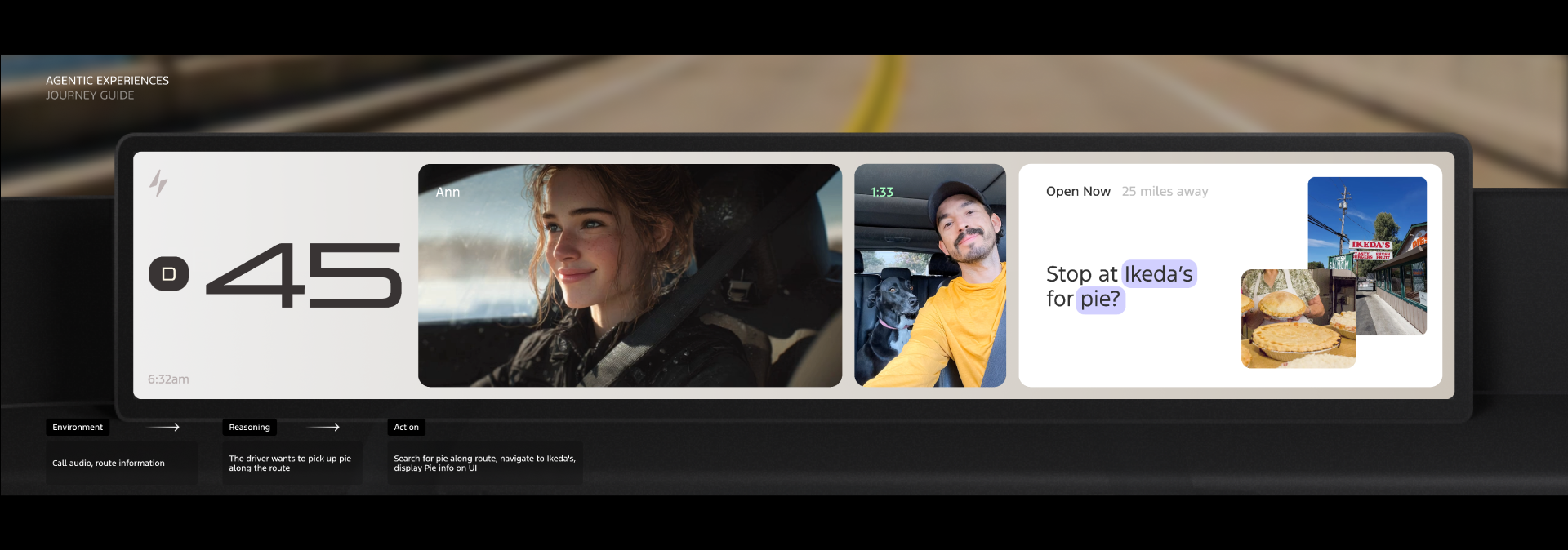
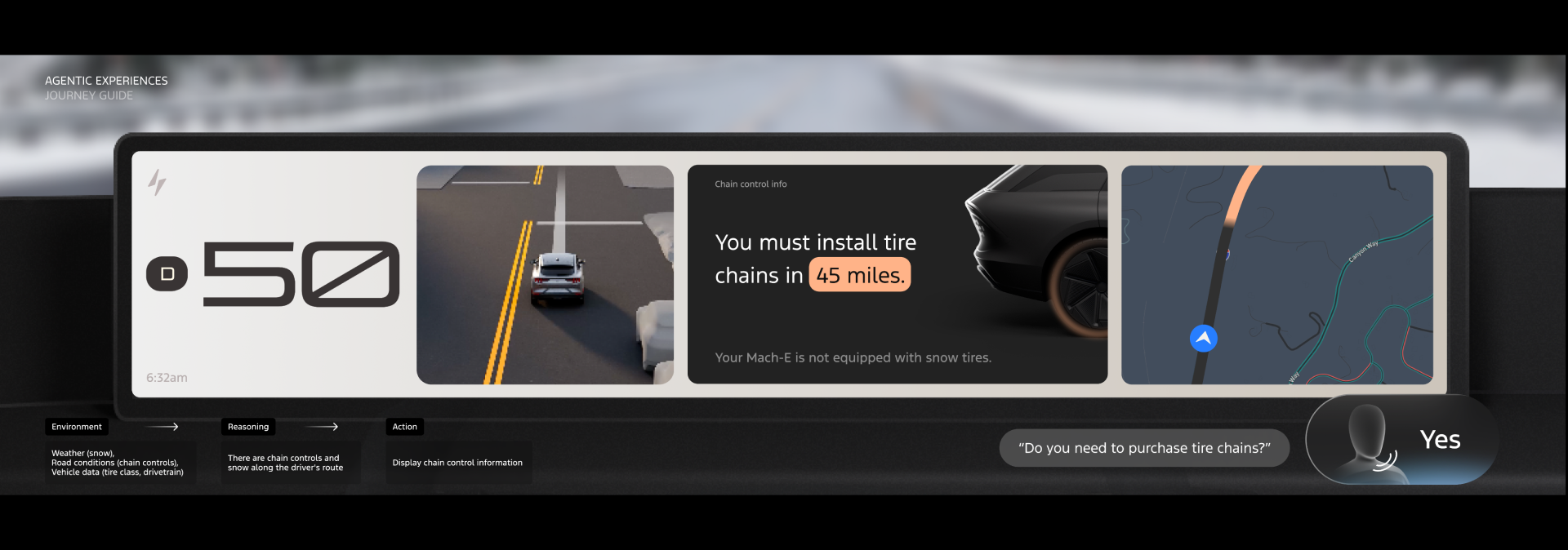
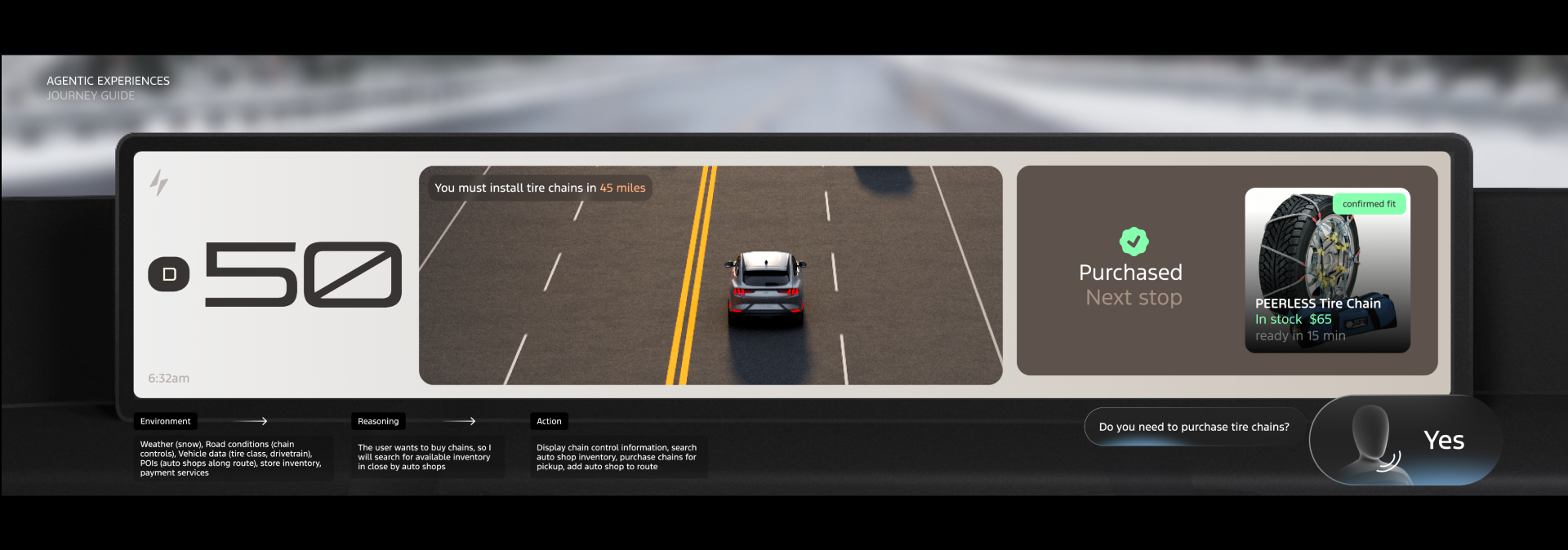
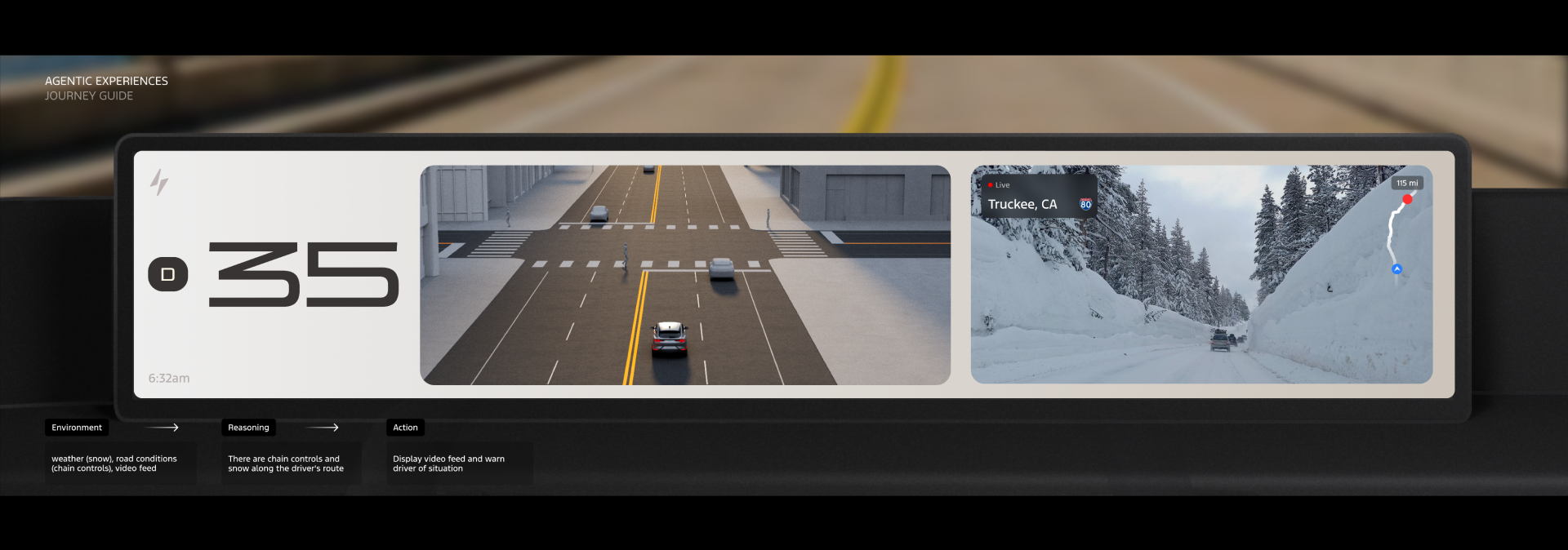
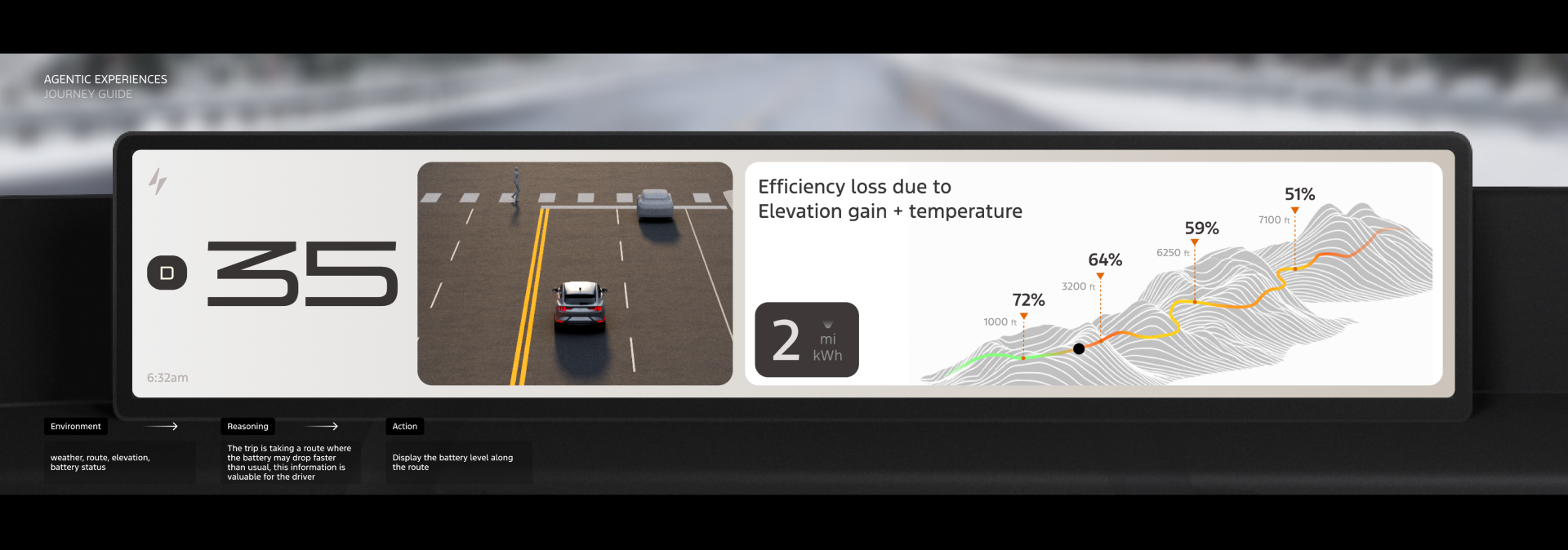
Trip to Tahoe, the CES 2026 demo
A few demo walkthrough: proactive alert, suggested stop, point of interests and contextual moments along a real route.
09 User Testing
What to learn with live prototypes
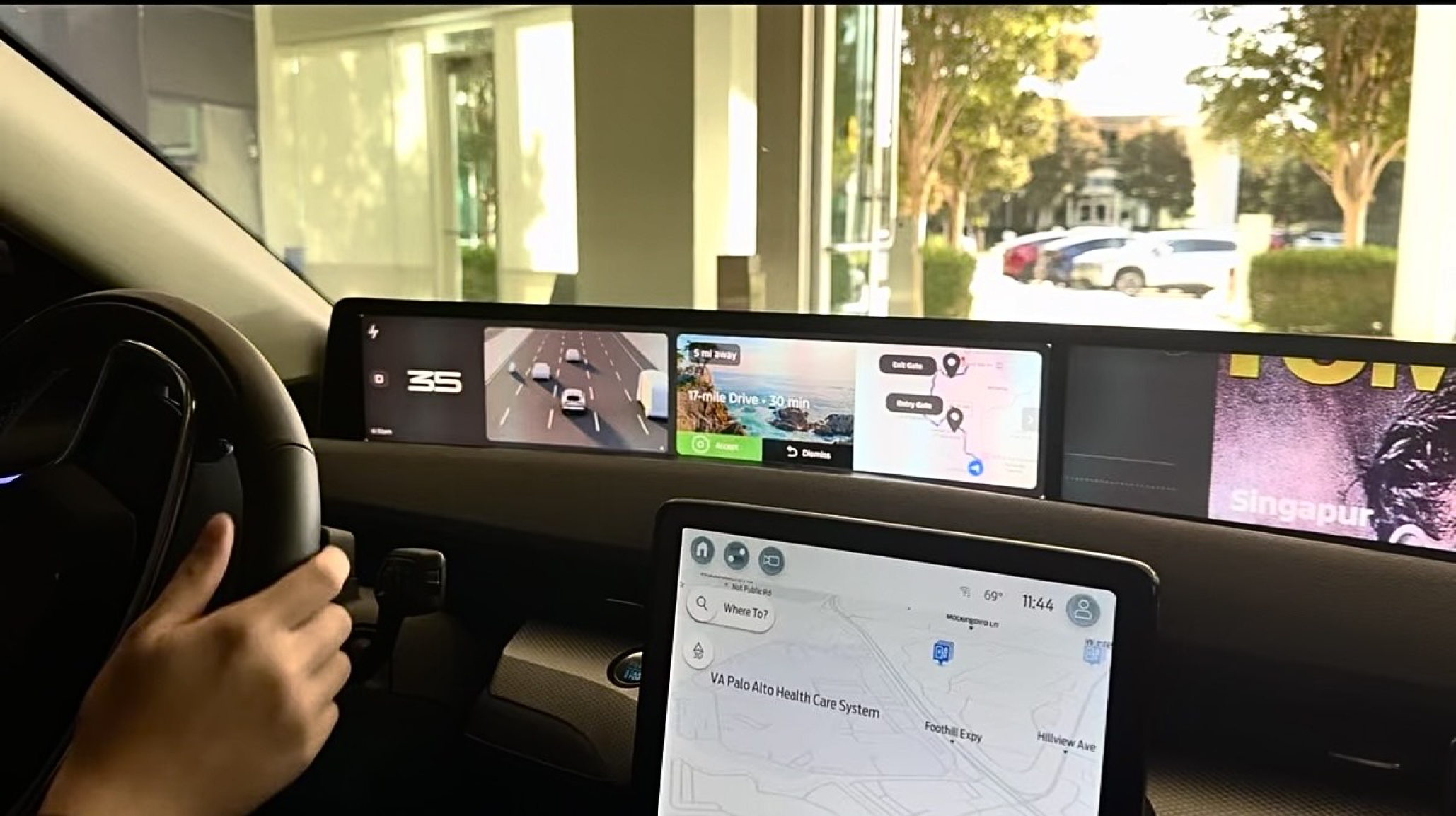
I built a functional prototype integrated with live vehicle data to test how users react to GenUI interactions and proactive moments.
Interactions
- Best way to present and interact with generated content?
- What steering-wheel configuration feels natural?
Proactive Glanceables
- How much motion is too much?
- Does GenUI help?
- What context is required?
Method
- Two rounds of live-prototype testing with 15 participants
- Planned and moderated solo, without dedicated research team support
10 Iteration I
Interaction Build & Testing I
⚠️ Inconsistent mental model
- Contextual menus behaved differently across AI moments, reducing predictability
⚠️ Information overload
- Too much content surfaced at once before commitment
⚠️ Fragmented visuals & weak affordance
- Disjointed UI elements weakened comprehension
- Left/right arrows were too far apart to clearly signal selection
⚠️ Low AI visibility & misaligned use case
- No clear visual cue when AI was active or driving changes
- The camping example failed to demonstrate the value of location-based interaction
11 Iteration II
Interaction Build & Testing II
Interaction explorations and a full UX flow consolidated the scattered moments into a single, predictable system.
Simple Binary Actions
- Clear binary actions establish a consistent mental model across generated cards
Reduced Information
- Limited upfront information; show more detail only after user commitment
Unified UI
- Cohesive UI elements improved user comprehension
Suggested AI Tooltips
- Surfaced voice-interaction hints to guide engagement
Testing Proactive Moments
Beyond interaction density, I tested how proactive AI moments hold up across real driving conditions.
Driving Speed
- Evaluate how AI moments perform at different driving speeds
Context
- Test user reaction across different intersections, road types, and specific locations
Cognitive Load
- Assess whether participants can notice, comprehend, get distracted by, or act on the information
12 Key Learnings
What the testing taught us
Interaction Model
What's the best way to interact with generated content?
-
Binary actions & consistency
Users prefer simple Yes/No or Accept/Decline with a consistent mental model.
-
Self-explanatory visuals
Minimize the need to ask questions.
-
Context awareness
The system is expected to know the context for voice interaction.
-
Voice & center screen for complexity
Complex queries are best resolved through voice paired with the center screen, not the cluster alone.
-
Visual cue & hinting
Small voice tooltips prompt further AI interaction and teach the system.
-
Agency
User initiates with permission; surface a single best option unless more is requested.
Hardware Mapping
What steering setup feels natural?
-
Dedicated button
A single button to initiate AI interaction.
-
Digital-to-physical mapping
Clear correspondence between hardware and UI.
-
Binary-ready layout
A layout that accommodates quick, simple binary actions.
Motion & Hierarchy
How much motion is too much?
-
Motion as a hierarchy cue
High motion and bigger visuals read as high importance.
-
Simplified graphics
Preferred over photorealistic imagery to minimize cognitive load.
Context Signals
What context is required?
-
Contextual priority
"Human" context (emotional state, mindset, intent) beats raw vehicle data and location.
-
Timing of intervention
Decide when to interrupt before deciding what to show.
-
Data granularity
Granular local data is valued, but balanced for density while driving.
13 Safe Adaptive UI
Design principles for safety
Key Rule
The 2-Second Gaze Rule
Drivers must be able to grasp any new UI state in 2.0 seconds or less.
📏 Legibility breaks down past 45 mph
- In our testing, text blocks longer than 3 lines needed more than one glance to read at speed, pushing eyes-off-road time past a safe single glance
Boundary
- Detect complex driving (merging, hard braking, sharp turns) and freeze the UI
- No UI changes during high-workload moments
Inhibition of Return
- Perform the layout shift when the driver is not looking at the screen
Saliency Map
- Design for one clear visual winner at any moment
- Road & safety widgets always have higher saliency than other generative UI
Looking Ahead
These principles are grounded in academic literature on driving safety and human behavior around moving interfaces. I'm continuing to expand that research, and future iterations of this framework will incorporate deeper findings.
14 Future Explorations
Building the Foundation for Phase II
A home for AI with a consistent presence that transitions from a subtle ambient state to a dynamic interaction surface, balancing transition states by risk.
| 1 | Explore Mediated State & Toast Framework | Shift lower-risk suggestion interactions from high-profile widget pop-ups to persistent ambient notification toasts or mediated states. |
| 2 | Unify Interaction & Decision Model | Ensure all genUI moments follow a simple, consistent interaction pattern with a unified binary accept/decline mental model across every state. |
| 3 | Simplify Visuals & Reduce Text Density | Minimize on-screen text and shift toward graphical representations. |
| 4 | Anchor AI Home | Establish a stable, predictable AI surface that safeguards driver attention zones. |
Transition Risk: Highest to Lowest
Immediate
Highest
Negotiated
Mediated
Scheduled
Lowest
Phase 2, 2026
From open exploration to a scalable, robust framework.
These learnings inspired the next phrase GenUI Framework: a North Star guide that turns experiments into a intelligent system framework that any team can apply.