01 Overview
Intelligent
Parking
ADAS · Park Assist
Redesigning how drivers interact with automated parking assistance: an unused, complex feature transformed into an intuitive, multi-stage experience driven by steering wheel touchpad controls.
My Role
Led end-to-end UX exploration and prototyping for the automated parking experience across steering wheel controls, cluster, and center stack.
Outcome
Delivered a multi-display, hardware-integrated prototype simulating the full parking flow with real-world video feeds.
Impact
Directly informed future direction of in-vehicle parking solutions and established new interaction patterns for ADAS touchpad control.
02 Background
A Feature Nobody Used
Ford's Intelligent Active Park Assist had a fundamental adoption problem. Of all drivers with access to the feature, only 5% had ever used it, with just 0.0025% used it a second time. Once engaged, the system had a 15% success rate. A major friction point: the driver had to physically hold a button for the entire parking maneuver.
Four core problems
Not Discoverable
Drivers didn't know the feature existed or how to activate it.
Spaces Not Detected
The system missed available spots frequently, eroding driver trust.
Complex Interface
The UI required too many steps and cognitive load during an already stressful maneuver.
Process Takes Too Long
The full cycle from activation to parked took far longer than manual parking.
Design goals
Always On
Remove the requirement to manually activate. The system should proactively scan for available spots.
One-Button Engagement
Reduce the interaction to a single intentional action via the steering wheel touchpad.
Cohesive
Unified experience across cluster and center stack, rather than fragmented prompts.
Clarity of Intent
The driver should always know what the system is doing and what comes next.
03 Proposal
Interaction Model Concepts
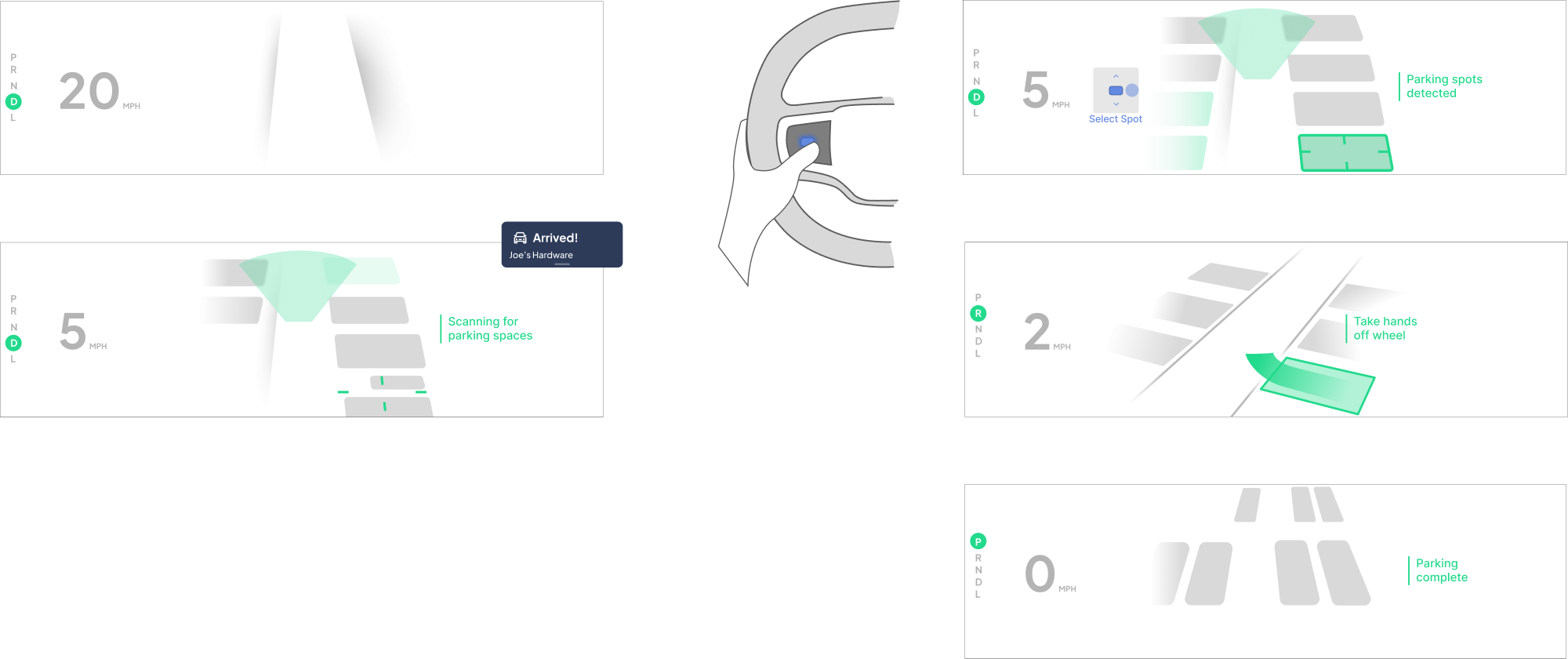
Based on the core problems, a proposal was developed for how the steering wheel touchpad could drive the full parking flow: from passive detection through spot selection to autonomous execution.
04 Iterations
A/B Testing Interaction Models
Two distinct control models were tested with participants to evaluate how drivers preferred to engage and navigate the parking system through the steering wheel touchpad.
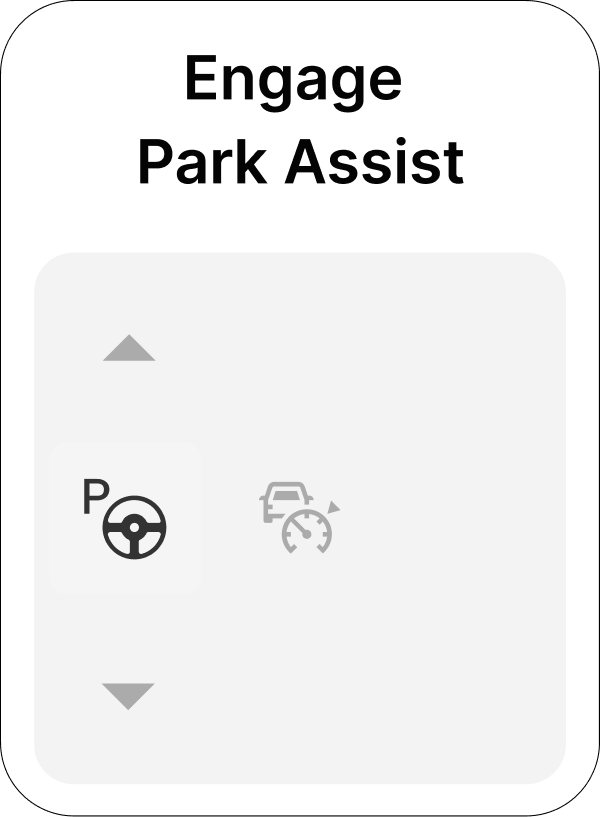
A: Horizon Control 1
Engage APA with the left button. Pressing the top and bottom arrows allows drivers to toggle through all available spots like a carousel. Steering wheel controls let drivers select a spot through digital controls while driving.
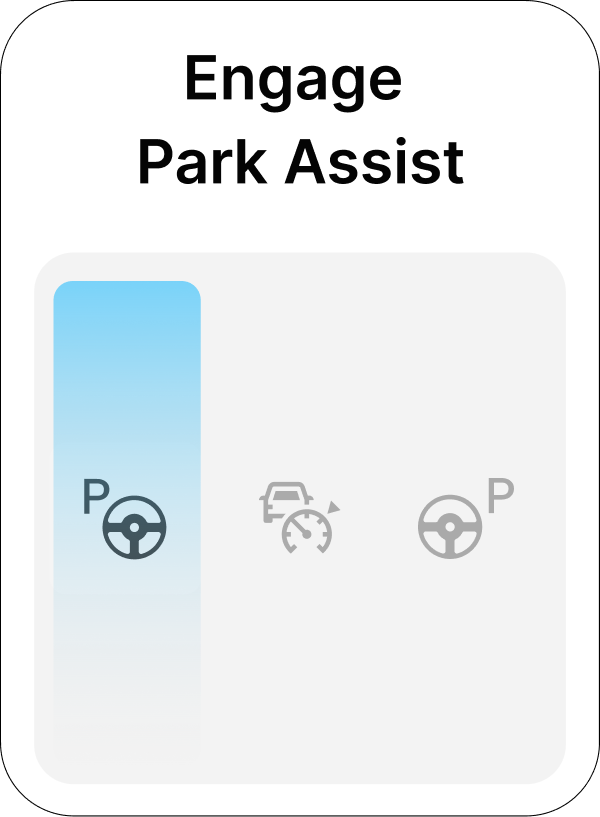
B: Horizon Control 2
Hovering (lightly touching) and sliding the thumb vertically over the left or right side of the control highlighted a spot; pressing engaged APA. Driving: engage APA when you begin parking by driving to the correct position.
05 Results
Four Stages of the Parking Flow
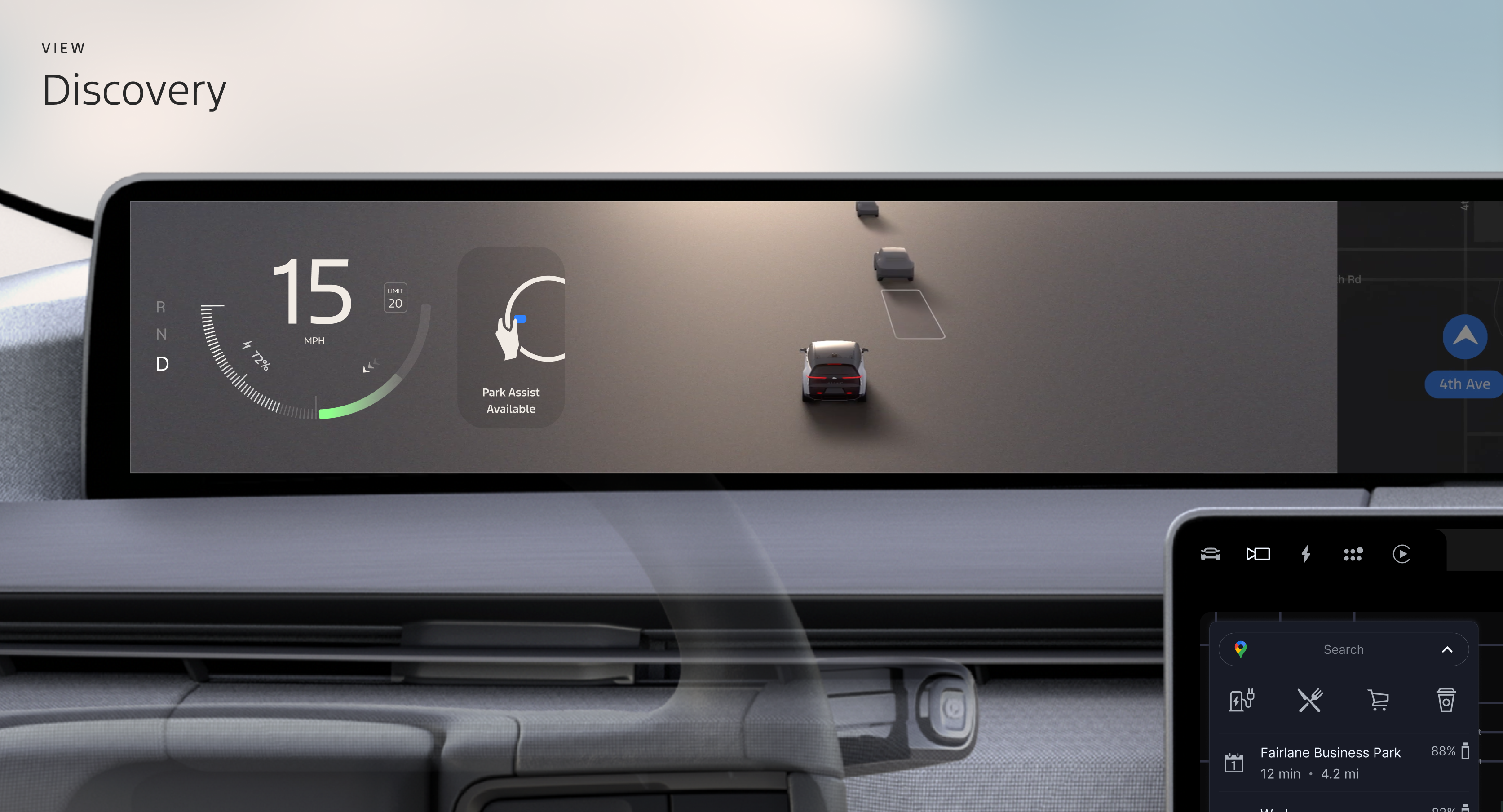
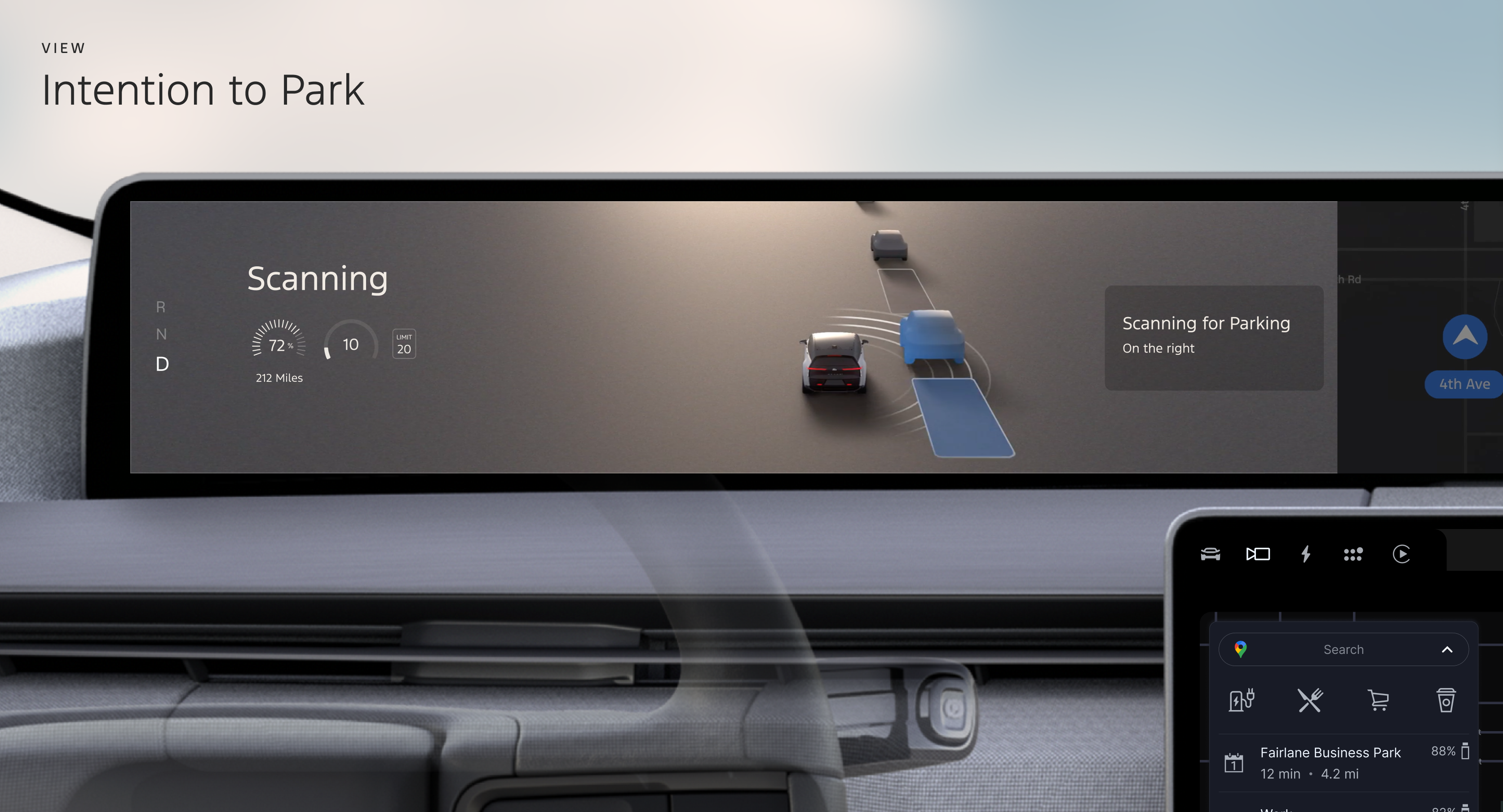
System is always scanning at driving speed. The cluster shows available spots as they're detected, with no manual activation needed.
As the driver slows, the system signals readiness. A single touchpad press engages park assist, with no held button required.
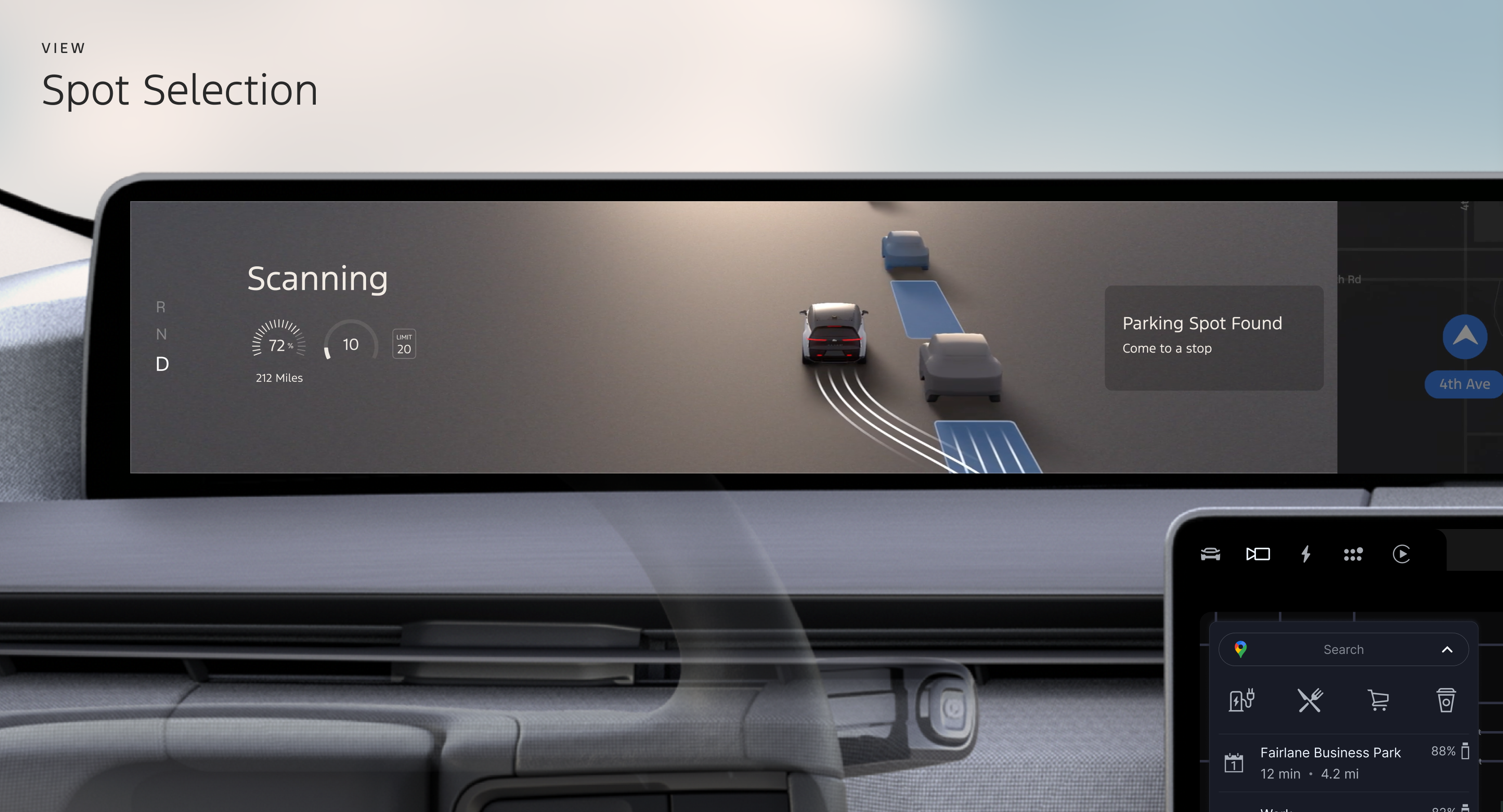
Driver uses the steering wheel touchpad to select a detected spot. The cluster and center stack stay in sync, confirming the selection.
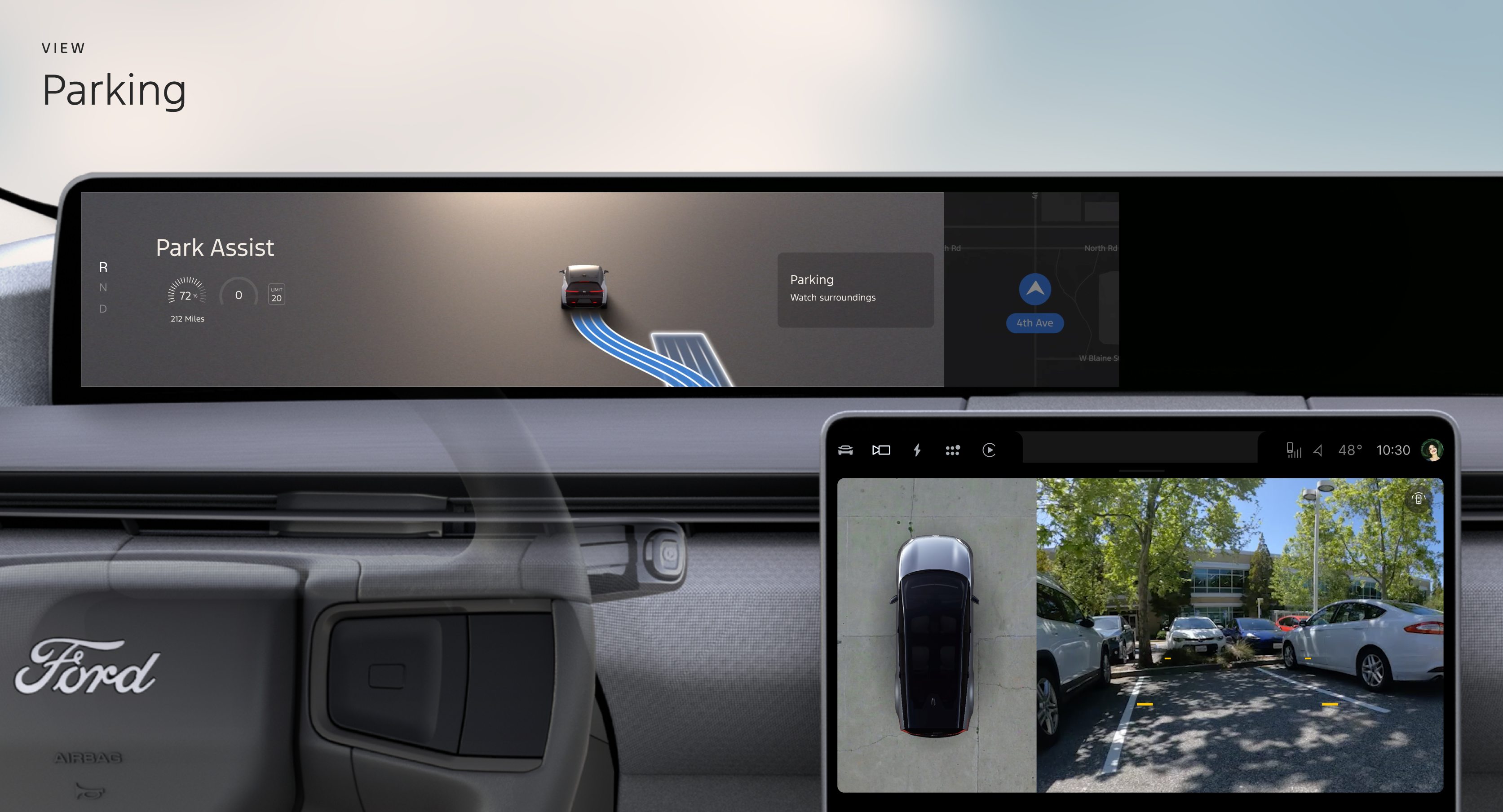
The vehicle executes the maneuver autonomously. The driver takes hands off the wheel while the cluster guides them through completion.
06 Prototypes
Full Prototype Walkthrough
The prototype simulated the complete parking experience across four distinct states, coordinated across the instrument cluster and center stack. Interactions were driven through the steering wheel touchpad, with no physical hold button required.
Front View
Side View
07 Summary & Impact
Informing the Future of Parking Assistance
The prototype demonstrated how intuitive steering wheel controls, combined with synchronized multi-display feedback and contextual real-world video feeds, could transform parking assistance from a frustrating edge feature into a trusted, everyday capability.
Interaction Model
Proved the steering wheel touchpad as a viable and intuitive primary input for multi-step parking flows.
Multi-Display Coordination
Established patterns for synchronized cluster and center stack feedback during autonomous maneuvers.
Future Direction
Directly informed product decisions for next-generation in-vehicle parking assistance systems.